

AI Voice Agents - The Complete Guide to Voice Chat (2025)
Learn everything about an AI voice agents, its benefits, implementation tips, and the AI voice chat applications for business success.
Longer wait times, high call volumes, and language barriers in call centers often frustrate customers. Complex interactive voice response (IVR) menus only add to the problem, leading to customer dissatisfaction. That’s why companies are adopting smarter self-service solutions like artificial intelligence (AI) voice agents. In fact, experts predict the voice bot market will reach $98.2 billion by 2027, showing a clear trend toward smarter solutions to improving customer experience.
AI voice agents technology combines Natural Language Processing (NLP), machine learning, and voice recognition to transform customer interactions. It provides quicker, more efficient service and improves the overall customer experience.
In this guide, we'll explore what AI voice agents are, their key features, practical use cases, and tips on how to implement a voice agent in your business.
What is an AI voice agent?
An AI voice agent is a two-way conversational tool that communicates with the customer. It automates inbound and outbound calls without human intervention and transfers calls to a human agent when needed.

The biggest advantage? Callers can navigate an IVR by speaking naturally, without listening to long, complex menus or pressing numbers on a keypad.
Popular AI voice agent examples include Apple's Siri, Google Assistant, and Amazon's Alexa. These tools simplify interactions, provide instant answers, and automate tasks. In contrast, advanced bots like IBM’s Watson Assistant and Microsoft’s Cortana handle customer support, sales inquiries, and internal communications.
Types of AI voice agents
Here’s a breakdown of the four main types of AI voice agents and how they can benefit your business:
Rule-based AI voice agent
Rule-based voice agent use predefined sets of questions and rules to offer answers or perform tasks. Such voice agents handle routine tasks and customer FAQs. They answer all queries that fall under the if-this-then-that logic.
For example, an e-commerce site using a bot to guide customers in checking their order status or a banking site handling routine inquiries like balance checks, bill payments, transaction histories, etc.
AI-assisted voice agent
AI-assisted voice agents use machine learning and natural language to interpret conversations so they can analyze the context and grasp what the speaker means. This makes them far more capable and user-friendly than the conventional, rule-based voice agents.
Let’s suppose a user asks Alexa, 'What's the weather tomorrow?' and then follows up with, 'How about next week?' it remembers the context. This adaptability means customers don’t have to repeat themselves, creating a more contextual customer experience.
Conversational AI voice agent
Conversational voice agents make conversations using natural language. They’re more nuanced than AI-assisted voice agents as they can handle complex conversations using everyday language to create more personalized interactions.

Google Duplex, and IBM Watson Assistant, are examples of conversational voice agents. They can make phone calls, make reservations, and handle natural conversations with a human-like tone.
Voice-activated voice agent
These bots use voice commands to answer practical questions and perform routine tasks. They are more flexible than personal voice agents that adapt to speakers and perform customized tasks.
Such bots serve as digital assistants to AI-assisted bots like Siri.
How does an AI voice agent improve customer engagement?
A customer calling your sales team wants to feel valued and understood. An AI voice agent does that. It puts the customer at the center, creating a better experience and driving business benefits as a result. Let’s understand it with a few use cases.
Use case: Get a quick update on order status, 24/7

Assuming the AI voice agent is integrated into your CRM, it greets the customer by name. Instead of navigating through a branched IVR to get their order status, the customer can simply say ‘order status’ and the voice bot pulls out the order details from the CRM and gives the user a real-time update within seconds.
Sheraz Ali, the Founder of HARO Links Builder states that their voice agent managed over 30% of customer interactions in one of their company projects and drastically reduced wait times.
“It also improved our response efficiency and led to a 20% increase in customer satisfaction scores and a reduction in operational costs within three months.”
Benefits:
- Decreased waiting time.
- Limited IVR menu navigation.
- No human intervention is required.
- Quick response times.
- Reduced business costs.
- Tangible increase in customer satisfaction.
Use case: Improve language learning for students

A language learning platform uses a voice agent to provide real-time translations and personalized tutoring. So the voice agent instantly supports students in any subject by translating and clarifying complex terms in their preferred language.
Benefits:
- Reduced requirement for multilingual staff.
- Increases inclusivity as the bot answers in the user’s preferred language.
- Language barriers are removed.
Use case: Improve patient outcomes in healthcare

It's easy to miss appointments or forget to deliver prescriptions to the patient’s home timely. A healthcare service can employ a voice agent to deliver personalized care and offer preliminary health assessments, medication reminders, and easy appointment scheduling, all according to the individual patient's needs.
Benefits:
- Saves time by streamlining appointment bookings.
- Ensures medication adherence with timely reminders.
- Reduces workload for healthcare providers with automated support.
Use case: Streamline routine financial services

Once integrated with the banking system, the voice agent automates routine financial tasks, provides instant account information, processes transactions, and delivers personalized financial advice around the clock.
Benefits:
- 24/7 access to financial services without wait times.
- Improves customer experience with quick, accurate responses.
- Automates routine tasks, freeing up staff for complex queries.
- Provides personalized advice to improve financial decision-making.
Use case: Get personal shopping assistance

An e-commerce platform can use a voice agent to assist customers with product selection, provide personalized recommendations, and automate the sales process from start to finish.
Benefits:
- Delivers a personalized shopping experience 24/7.
- Boosts sales with customized recommendations.
- Reduces cart abandonment by guiding customers to checkout.
- Improves customer satisfaction with fast, accurate service.
Features of an AI voice agent
To understand why voice agents are so effective, let’s look at the key features that improve the overall customer service experience while streamlining business operations.
The best voice agents for businesses come equipped with:
Natural language understanding (NLU)
An AI voice agent understands user queries by converting speech into text using AI and NLP. It then forms an appropriate response and converts it back into speech using text-to-speech (TTS) technology. This ability to understand and respond in natural, conversational language sets AI voice agents apart from traditional IVR systems, which rely on rigid, menu-based responses.

Personalization capabilities
Customers want quick, personalized responses to their queries, unlike complex IVR systems that frustrate them with lengthy menus. An AI voice agent offers contextual conversations, adapting to the user’s intent. It detects speech cues, skips irrelevant interactions, and also transfers calls to the right agent.
Hence, when comparing voice agents to IVRs, the bot's ability to offer personalized interactions like a human outshines communication systems that follow even the best IVR practices.
Multi-language support
AI voice agents break down language barriers, supporting multiple languages to provide a more inclusive and accessible customer experience. Businesses can easily connect with diverse customer bases across the globe.
For instance, Plivo supports speech recognition in 27 languages and their regional variants.
{{cta-style-1}}
Integration with other platforms and services
AI voice agents easily integrate with platforms like customer relationship management (CRM) systems, Enterprise resource planning (ERP) tools, and ticketing software. They access and update customer data in real time to ensure accuracy.
These bots also pull relevant details, automate follow-up actions, and sync with communication channels like email or chat. This creates a personalized and consistent customer experience across all touchpoints.
Benefits of voice agents
Let’s now look at the benefits of AI voice agents.
Enhanced user experience
Many businesses have concerns over the quality of a voice agent for customer service. However, a voice agent answers queries quickly regardless of the time of the day. Speedy, reliable answers are important to providing excellent service, making voice agents an invaluable tool for businesses looking to improve customer satisfaction.
Additionally, businesses can:
- Handle routine queries and common tasks faster than human agents.
- Remove the need for users to navigate complex IVR menus.
- Manage high-volume calls without errors.
Better cost efficiency
An AI voice agent doesn’t just save time, it also saves money. It boosts user satisfaction and reduces support times by automating repetitive queries. This frees up staff for higher-value tasks, and interacting with customers after hours has improved lead conversion.
The direct benefits to businesses are:
- Reduces the need for a larger customer support team.
- Allows human agents to focus on complex, high-value inquiries.
- Engages users outside business hours to boost marketing return on investment (ROI).
- Lowers training costs and minimizes the risk of providing incorrect information.
Accessibility for users with disabilities
With over one billion people living with disabilities worldwide, voice agents make services more inclusive. They enable hands-free, accessible interactions, allowing customers with visual, motor, or cognitive impairments to engage with the business easily. This not only improves customer satisfaction but also broadens the company’s reach to a more diverse audience.
Data collection and analysis for improved services
Voice agents don’t just serve customers — they also gather insights. Use this data to analyze data and improve services, personalize marketing efforts, and make more informed business decisions.
24/7 availability
Unlike human agents, voice agents are always accessible. They ensure customers get help whenever they need it, contributing to a more consistent and reliable customer experience.
Future of AI voice technology
As IBM's data engineer, Chris Hay puts it, "We're entering an era where every mom-and-pop shop can have the same level of customer service as an enterprise." This statement captures the transformative potential of voice recognition technology.
AI voice chat applications benefit businesses of all sizes by delivering top-tier customer experiences. Tech giants are already paving the way. Microsoft has updated its Copilot AI with advanced voice capabilities, allowing it to handle complex queries with natural language reasoning, while Meta has introduced voice AI to its messaging apps.
AI voice assistants will move beyond smartphones, integrating into wearable devices like the recently unveiled Meta Orion augmented reality glasses. For businesses handling sensitive client relationships, this could mean smarter, empathetic bots that mirror the tone and approach of a human assistant.
Key upcoming trends:
- Hyper-personalization: Customized voices and targeted recommendations.
- Advanced problem-solving: Managing complex queries using natural language.
- Real-time analytics: Analyzing customer tone for deeper insights.
Yet, challenges remain. Arvind Rongala, the founder of a skill-management solution provider, shares, “There are still issues, especially with data privacy and ensuring interactions are human-like. In addition to resolving problems with bias in training data and regulatory compliance, businesses must strike a balance between automation and personalization. For example, adhering to GDPR regarding the storage of voice data can be challenging, but doing so is essential to fostering trust.”
Ultimately, businesses need to prioritize data security, explore multi-device integration options, and develop stronger contextual understanding for natural interactions.
Launch an AI voice agent with Plivo
Any scaling business needs a voice agent that's easy to integrate, globally accessible, and cost-effective without sacrificing quality.
Plivo checks all these boxes, offering seamless integration, seven global points of presence for low-latency interactions, and competitive rates starting at just $0.0040 per minute. It's ideal for businesses willing to scale while keeping operational costs in check.
In fact, Plivo can reduce operational costs by up to 40%.
Moreover, its commitment to reliability is backed by a 99.99% uptime guarantee, with failover capabilities that switch within two seconds if any disruptions occur.
You can launch voice agents with Plivo using just a few lines of code.
- Log in to your OpenAI Account: Secure your API key and RealTime API access.
- Log in to your Plivo Account: Sign up and get a voice-enabled number.
With integration options for leading speech-to-text (STT) and TTS providers like Deepgram and ElevenLabs, you can launch AI voice agents in multiple regions, including India, using local numbers.
Use Plivo-powered voice agents for:
- Personal shopping assistance: Offer personalized recommendations, go through product selections, and close sales.
- Healthcare automation: Improve patient outcomes with medication reminders, and appointment scheduling, and offer preliminary health assessments.
- Inclusivity in education: Break language barriers in learning with real-time translations and personalized tutoring across multiple subjects.
- Routine financial services automation: Provide instant account information, personalized financial advice, transaction processing status, etc. to customers.
With a 24/7 AI voice agent, your business can handle these tasks around the clock, ensuring that customers are never left waiting. Want to improve customer experience with Plivo? Contact us today.
.png)
Top 8 AI voice agents for sales in 2026
Compare the leading AI voice agents for sales, and see how Plivo can automate conversations, qualify leads, and scale customer engagement.
In today’s world where instant gratification has become the norm, most B2B buyers still prefer phone conversations for complex sales discussions, a majority of them expecting immediate responses. In such a scenario, enterprise sales teams face a dilemma: phone calls drive conversions, but hiring enough reps to cover qualification calls, follow-ups, and after-hours requests quickly becomes unsustainable.
AI voice agents solve this by automating high-volume tasks while maintaining the personalized touch buyers expect. They offer 24/7 lead qualification, instant responses, and unlimited scalability without expanding headcount.
This guide evaluates 8 leading AI voice platforms for sales teams based on several key factors, helping you identify the right solution for your sales operation.
Why businesses need AI voice agents for sales
Apart from taking calls, AI voice agents make your organization more than efficient because they scale your organic conversation without getting tired. Here are a few use cases for AI voice agents in sales that not only streamline your sales process but also identify emerging trends in customer behaviour and accordingly nurture relationships with potential leads.
Automation of Repetitive Task
Taking calls round-the-clock while maintaining all data simultaneously can eventually become intimidating for sales teams. AI voice agents can automate such tasks, allowing reps to redirect their energy toward higher-level opportunities.
Delivering Tailored Interactions
AI voice agents can be very versatile while answering customers, giving responses tailored to their needs and preferences. It’s a given that personalization plays an essential role in customer retention.
Predicting Customer Behaviour
AI agents aggregate customer data from multiple touchpoints. Sales teams can then use these insights to anticipate customers’ needs and proactively engage them with highly relevant product recommendations or targeted offers.
Cost Reduction
Voice agents can significantly reduce your operational costs by handling a high volume of queries without requiring additional human resources.
Scalability
AI voice agents can effortlessly manage growing volumes of customer interactions, making them perfect for businesses aiming to expand while maintaining high service standards.
Quick Overview of the top AI Voice Agents for Sales
8 Best AI Voice Tools For Sales
1. Plivo
Best For: Businesses looking for reliable automation for key customer moments during sales calls, prioritizing performance, uptime, and global connectivity.
Plivo is a voice-first, AI-native communications platform built for organizations that want to operationalize AI agents in real customer environments, not just pilot projects. Unlike fragmented solutions that require stitching together telephony vendors, orchestration layers, and messaging APIs, Plivo delivers a single-stack environment that unifies voice, SMS, WhatsApp, chat, and email into one production-ready platform. For enterprises evaluating platforms at the decision stage, the differentiator is not just intelligence; it’s whether conversations feel real at scale.
In AI voice automation, especially for sales, timing matters as much as reasoning quality. Most AI pipelines rely on ASR → LLM → TTS conversion, where each step introduces latency. Once response delays exceed ~400 ms (the ITU-T G.114 threshold), conversations become mechanical, and users disengage.
Plivo addresses this with live audio streaming over WebSockets, enabling AI agents to listen and respond in near real time while it manages the telephony infrastructure. This architecture allows organizations to plug in their LLM models without reworking the calling layer, future-proofing AI investments as models evolve.
One of the major advantages of using Plivo is its support for the entire lifecycle of customer engagement, with 24/7 automated, natural-sounding interactions. The platform offers extensive global reach across 190+ countries, enabling businesses to scale sales without increasing headcount.
What makes using Plivo interesting is its ability to handle all your customer requests without you being involved at the front desk. Its natural language builder (Vibe) enables teams to set up integrations and get them test-ready in minutes. Plivo's single-stack approach significantly reduces latency and improves reliability, delivering 99.99% uptime and compliance with standards such as HIPAA, GDPR, and PCI DSS.
Key Capabilities
- Build agents in minutes: Teams can quickly build AI voice agents with Vibe, with no coding required.
- Effortlessly troubleshoot voice agents: The platform enables you to self-troubleshoot common tech queries using its knowledge base, and only routes complex cases to humans.
- Quick customization: You can edit workflows, add rules, and personalize responses as needed.
- Pre-built templates: Plivo allows you to kickstart faster with customizable templates for support, sales, bookings, and more.
- Omnichannel engagements: Your sales team can take action at the right moment across every channel.
- Personalized AI agents: The platform makes it extremely easy to train agents on your knowledge base, FAQs, and brand guidelines so they respond like your team.
- Real-time analytics and observations: You can monitor performance, simulate conversations, and refine agent behaviour in real-time
Pros
- Built-in telephony: Native phone numbers, global connectivity, and SIP trunking without dependence on external carriers.
- Reduced latency: Owning the telephony infrastructure eliminates the need to hop to third-party carriers, ensuring faster response times.
- Seamless scalability: Start with a small no-code workflow and scale to a fully programmable production system without rebuilding.
Pricing
Plivo offers pay-as-you-go pricing on our Professional plan with no monthly commitment, while Enterprise plans start at $1,000 per month for teams that need higher scale and dedicated support.
2. Lazr.AI
Best For: Teams looking for turnkey solutions with minimal setup.
Lazr’s pre-built voice platform offers robust and flexible deployment options. Instead of building voice workflows from scratch, the tool offers 40+ pre-configured agents designed for specific inside sales functions. Teams can deploy specialized agents for lead list building or call recording analysis within minutes. The platform’s dual deployment model makes it suitable for security-conscious enterprises.
While the pre-built agents are powerful, customization beyond their designed parameters may require technical expertise. The platform focuses more on agent deployment than complete workflow automation.
Key Capabilities
- Get 40+ pre-built sales agents for ICP generation, AI dialling, and call analysis.
- Offers voice agent builder with natural language commands
- Comes with dual deployment options (SaaS or on-premise)
- Offers enterprise-ready integrations with 250+ LLMs
Pros
- Quickly build AI agents using a low-code/no-code interface.
- Get enterprise-grade security with on-premise and private cloud deployment options.
- Focuses on providing necessary guardrails and infrastructure.
Cons
- Lacks advanced customization options for complex AI implementations
- Fewer community-driven resources compared to more established platforms.
Pricing
Custom pricing based on deployment model (Cloud vs On-Premise) and agent usage.
3. PolyAI
Best For: Businesses looking to scale, multilingual voice AI solutions for customer service.
As one of the top conversational platforms, PolyAI specializes in creating lifelike voice assistants for enterprise customer service. Unlike other AI voice tools, PolyAI started with text; it specializes in voice. The tool mainly focuses on handling, understanding, and resolving issues in phone calls, including managing interruptions, accents, and emotional language.
While PolyAI utilizes its own speech recognition engine, it enables sales teams with high-quality, conversational, context-aware, and on-brand dialogue. The platform offers 45+ languages, enabling teams to integrate into their existing systems.
Key Capabilities
- Conversational AI agents quickly handle complex customer enquiries.
- Supports more than 45+ languages with natural voice and tone.
- Easy plugin options with existing CRMs and telephony systems.
- Provides omnichannel support, including voice, chat, and SMS.
Pros
- Reduce wait time and provide 24/7 support.
- Handles sudden spikes in call volume effortlessly.
- Resolves 87%+ of customer service calls end-to-end.
Cons
- A real-time dashboard needs either sentiment analysis or granular call-path tracking.
- Pricing is not publicly disclosed, so direct sales consultation is required.
Pricing
For some configurations, pricing ranges from $0.09 to $0.15 per minute; however, contracts start at $150,000+ per year.
4. Vapi AI
Best For: Businesses that need customization and integration with existing systems to handle high volumes of concurrent calls.
Vapi is a developer-focused AI platform that enables businesses to create highly customizable voice agents. Apart from handling both inbound and outbound calls, Vapi enables near real-time voice interactions—responding in 550 to 800 milliseconds.
Designed as an API-first platform for building AI phone agents, it is a popular choice among teams that need fully programmable, flexible AI phone agents for sales. But using Vapi does require technical knowledge; it is best for organizations with in-house development teams.
Key Capabilities
- Real-time orchestration for low latency (sub-600ms)
- Flexible integration with STT, TTS, and LLMs
- Create squads of specialized bots for complex workflows.
- Support telephony and web integrations
Pros
- Allows you to tailor every component of the voice experience.
- Offers real-time processing for fast and natural conversation
- Scales to handle a high volume of calls
Cons
- Requires significant technical expertise; not a low-code solution.
- Building and maintaining reliable, high-performing bots is time-consuming.
Pricing
Vapi follows a pay-as-you-go model, starting at $0.05 per minute.
5. Cognigy
Best For: Sales teams who need deep conversation analytics, automated QA, and AI-powered coaching to improve existing performance.
As an enterprise-grade Conversational AI platform, Cognigy is designed to automate and enhance customer service experiences across voice and chat channels. The platform uses Large Language Models (LLMs) and Generative AI to create agents that understand context and memory, and make real-time decisions.
As a specialised tool that bridges the telephony system with the voice gateway, Cognigy's low-code flow editor is perfect for designing complex, multi-channel conversations. The tool is best suited for medium to large enterprises seeking to implement advanced AI-driven customer service solutions across multiple channels.
Key Capabilities
- Allows companies to maintain high compliance while utilising AI.
- Offers enterprise-grade security with GDPR compliance.
- Offers 100+ integrations with existing CRMs and CCaaS systems.
- Specially designed for high-volume enterprise environments.
- Allows AI agents to ingest internal data, reducing the need for manual FAQ.
Pros
- Offers top-tier conversational AI and generative AI capabilities
- Low-code/no-code option for quick flow creation
- Seamless integration with CRM, ERP, and backend systems
- Offers omni-channel services, including chat, SMS, and calls.
Cons
- Implementation takes 2-4 weeks.
- Building complex custom extensions can be difficult for non-technical users.
- Requires significant cash, making it unsuitable for small businesses.
Pricing
Cognigy starts at around $2,500/month for lower usage, but for full deployments it often starts at $300,000.
6. Lindy
Best For: Businesses of all sizes seeking to automate routine tasks.
As a versatile voice AI agent, Lindy primarily automates a wide range of business tasks, including scheduling meetings and drafting emails, managing CRM updates, and conducting phone calls. With its no-code tool builder, Lindy has become popular in building custom AI agents tailored to the specific workflow needs. Lindy is primarily built as an internal workflow automation tool for business process automation and task orchestration. However, it does require additional support for real-time customer interaction.
Key Capabilities
- The tool can quickly scan prospects based on predefined criteria and populate your CRM.
- It drafts personalized messages to research prospects and provide richer insight.
- It acts as an inbound sales agent, responding to inquiries and answering FAQs.
- It automatically assigns qualified leads to the appropriate sales rep and notifies them.
Pros
- Capable of handling end-to-end sales tasks.
- Extensive integration for automatic data logging.
- Offers a high volume of sales tasks easily.
- Allows non-technical sales staff to build complex queries using natural language.
Cons
- It is not optimized for high-volume, real-time voice conversations.
- Its learning curve requires time to master complex flows.
- Uses a credit-based system where complex tasks can consume credits rapidly.
Pricing
Lindy offers only 400 credits monthly with access to Agent Builder, Lindy Build, and a 1M character knowledge base. However, the pro plan starts at $30–$50/month, depending on the usage.
7. Bland AI
Best For: Primarily designed for enterprise and technical teams that need to automate high-volume phone calls.
Bland AI is an enterprise-grade AI voice tool that supports inbound calls. Although the tool claims its agents sound like humans, it unapologetically supports technical teams. Teams can design pathways to keep conversations on script and aligned with defined objectives.
Businesses can use the drag-and-drop builder and run prompts in real time. This makes it ideal for teams that want to deploy a sales tool quickly without a developer. Even teams can clone voices from short audio samples and run thousands of calls concurrently using dedicated infrastructure.
Key Capabilities
- Agents can quickly handle thousands of concurrent calls for cold calling and qualifying leads.
- It makes sure that inbound sales inquiries are answered instantly, even after hours.
- The platform connects with platforms like HubSpot and Salesforce, triggering calls based on CRM events.
- It offers real-time interactions, book appointments, and send follow-up SMS.
- It offers 24/7 coverage, instantly engaging inbound leads, and improving conversion rates.
Pros
- Highly capable of managing large batches of inbound and outbound calls.
- Teams can effortlessly customize tone and voice for a more dynamic conversation.
- Quick, ~800ms latency allows for natural conversation flow.
- Supports custom LLMs, voice cloning, and deep CRM integration.
Cons
- Requires an engineer or developer to set up and maintain the tool.
- Costs can spike with failed calls or high-volume calls.
- Offers limited support to businesses.
- Sometimes, there are hidden costs apart from base rates.
Pricing
Bland AI follows a usage-based pricing model; however, it starts at $0.09 per connected minute for actual call time and interactions.
8. Synthflow
Best For: Small to medium-sized businesses looking to automate customer interactions.
Synthflow AI is a no-code conversational voice AI platform designed to automate inbound and outbound sales. It enables businesses to build and deploy AI-powered voice assistants for automating phone calls.
The tool acts as an automated sales rep, initiating calls, nurturing leads, and answering questions in real-time. Synthflow integrates with 9,000+ apps via Zapier and natively with major CRMs, ensuring call data, summaries, and recordings are automatically logged.
Key Capabilities
- Handles unlimited, parallel calls, ensuring no missed opportunities.
- With 24/7 response times, it significantly improves lead qualification speed.
- Uses advanced voice synthesis for natural, human-like conversations.
- Agents can schedule, reschedule, or cancel meetings directly.
Pros
- Effortlessly create voice agents without developer resources.
- Seamless integration with HubSpot, GoHighLevel, and other CRMs.
- Offers faster setup for immediate sales use cases.
- Offers white-labelling to resell AI agents.
Cons
- Challenges in latency and response time.
- Offers limited customization with the tool.
- Occasional support for lower tier users.
Pricing
Synthflow uses a tiered subscription model, often including pre-paid minutes, with costs decreasing as you scale.
Try Plivo For Free
In 2026, buyers are looking for immediate response, personalized engagement, and seamless conversation- something sales teams are struggling with today. Partnering with an AI voice agent platform like Plivo helps bridge this gap by automating first-touch interactions, qualifying leads faster, and ensuring no opportunity is missed due to delays or resource constraints.
You can automate conversations across channels such as voice calls, SMS, WhatsApp, and web chat from a single dashboard without switching platforms. Using its no-code builder, teams can design, test, and optimize AI-driven workflows while maintaining brand behaviour and business logic.
Starting with a free trial gives you the flexibility to validate performance, reliability, and fit before deciding how extensively you want to adopt the AI voice tool across your business.
Start your free trial and build your first AI voice agent experience today.
FAQs
What is an AI Voice Agent for sales?
AI voice agents for sales are autonomous systems that streamline sales processes throughout the customer journey. Unlike traditional chatbots, these intelligent agents plan, reason, and act independently, often coordinating with other agents or systems to complete complex workflows.
How do AI voice agents work for sales?
AI voice agents work by capturing speech, converting it to text, and then using Natural Language Processing (NLP) to understand the user's intent. The system then uses a dialogue manager to decide on the appropriate action or response, which is generated and converted back into natural-sounding speech for delivery to the user.
Can AI voice agents replace human agents in a sales team?
AI voice agents can’t fully replace human agents, as in most cases, they serve as the first point of contact. These agents are best suited for FAQs, scheduling, and basic troubleshooting, and routing complex tasks to human agents.
Does your team need a no-code or a developer-first platform?
If you have a team with little to no technical knowledge, then scaling with a no-code platform is easier. However, with a team that has engineers by your side and needs deep customization, a developer-first platform gives you more flexibility.
How important are voice quality and response speed for your sales team?
Natural speech and tone matter more because they significantly shape callers' experience. If the AI sounds robotic or pauses too long, it can reduce trust and engagement, especially in customer-facing roles like sales.
.png)
Best Platforms to Build AI Voice Assistants in 2026
Learn about the best AI voice assistant platforms for 2026 for developing robust AI voice assistants. Compare Plivo, Vapi, Retell AI, and other platforms, including their features, advantages, and specifications.
In today’s business landscape, AI voice assistants are already a key part of customer experience. They can cut call wait times dramatically and handle routine questions quickly. Yet many businesses still rely on manual phone support or siloed chatbots. Customers often switch channels but expect a single, seamless conversation. For example, a user might start on a website chat, later call support, and then get a follow-up SMS, but they see it as one conversation. If those systems aren’t connected, the context is lost and support slows down.
The solution is to use a modern AI voice platform that unifies channels and understands conversation context. These platforms use advanced speech recognition and natural language understanding so they can interpret what callers say. They then drive real-time actions like retrieving customer data or scheduling follow-ups. The following sections list some of the top AI voice assistant platforms today, each excelling in different ways, so you can pick one that fits your needs.
Key Things to Look for in an AI Voice Assistant Platform
- Real-Time Conversational Understanding - You need more than speech-to-text and canned replies. Look for strong natural language understanding (NLU) that can track context across the whole call, handle back-and-forth questions, and adapt answers based on what has already been said.
- Omnichannel Integration - Your customers do not stick to one channel. They may start on a phone call, continue on WhatsApp, reply to an email, and later open a web chat. The best platforms keep one shared conversation across voice, SMS, WhatsApp, chat, and email, so the context is never lost when a customer switches channels.
- CRM & App Integrations - A smart assistant is only as helpful as the systems it can talk to. It should connect to your CRM, helpdesk, booking tools, payment systems, and internal APIs. This lets the assistant actually do things like fetch orders, update tickets, schedule appointments, qualify leads, and trigger workflows instead of just “answering questions.”
- Context Awareness & Memory - A good assistant remembers what was said five minutes ago, but a great one remembers what happened in previous calls too, when it is safe and allowed. Look for session memory, access to customer history, and clean human handoff where the whole transcript and context flow to a live agent so the customer never has to repeat themselves.
- Latency and Reliability - Voice calls feel “off” when the response is even a little late. Anything slower than a few hundred milliseconds starts to break the natural flow of speech. Choose platforms that are built on reliable telephony infrastructure, offer strong SLAs, and aim for end-to-end latency under about 300 milliseconds so conversations feel natural and human.
The Best Platforms for Building AI Voice Assistants in 2026
Plivo
Plivo is a full-stack, AI-first communications platform that combines carrier-grade telephony with modern AI agents across voice, SMS, WhatsApp, chat, and email on a single, unified layer. It is built for teams that want reliability and intelligence in the same place.
Instead of treating the AI voice assistant as a bolt-on, Plivo treats it as part of your entire customer communication fabric. Your agents, your AI, and your channels all sit on top of the same global infrastructure and data layer.
Key Features and Capabilities:
- True omnichannel orchestration - Plivo lets you serve customers on voice, SMS, WhatsApp, web chat, and in-app chat from one platform, with a single view of each conversation. Context travels with the customer across channels, so they do not have to repeat details when they move from a phone call to a message thread.
- AI voice agents with ultra-low latency - Plivo’s AI voice agents are designed for real-time conversation, with very low response times so calls feel natural and uninterrupted. Its global points of presence keep audio paths short, which reduces lag and keeps interactions smooth.
- Choice of AI stack (LLM, STT, TTS) - You can plug in leading speech-to-text, language models, and text-to-speech providers like Deepgram, OpenAI, and ElevenLabs. This makes it easy to tune your assistant for your use case, whether you care most about accuracy, style, or cost.
- No-code and API-first together - Non-technical teams get visual, drag-and-drop journey builders and no-code tools to launch AI agents without writing code. Developers get clean APIs and webhooks to embed Plivo into complex backends and custom workflows.
- Deep CRM and app integrations - Plivo connects to popular CRMs, helpdesks, and commerce tools such as Salesforce, HubSpot, Zendesk, Shopify, and many other API-based systems. This allows AI agents to read and update customer records, orders, tickets, and more in real time.
- Reliability, scale, and security - Plivo runs on a proven global carrier network with 99.99% uptime and fast failover, keeping your lines available even during spikes and outages. It offers enterprise-grade security and compliance controls, including strong encryption and support for strict regulatory environments like finance and healthcare.
- Analytics, QA, and coaching - You can monitor live metrics, analyze historical calls, and track performance across agents (human or AI) to keep improving service. Features like call summaries, notes, and real-time coaching help teams learn from every interaction.
Why Plivo Is the Best Choice in This Category:
- One platform for both voice AI and omnichannel CX - Most tools in this space either are great telephony pipes or they are great AI agents. Plivo is built to do both. It works as your backbone for voice and messaging while also giving you AI agents that can answer, act, and escalate across all your key channels. This means you do not have to wire together separate providers for telephony, AI, and omnichannel support, which lowers complexity and integration risk.
- Works for small teams and large enterprises alike - Smaller teams can launch quickly using no-code builders, templates, and self-serve setup. As they grow, they can layer in custom integrations, advanced routing, and strict controls like role-based access, data residency, and detailed audit logs that larger organizations expect. This makes Plivo a platform you can start with early and keep as you scale, instead of outgrowing it in a year or two.
- Strong ROI and cost control - Plivo’s AI voice agents and global infrastructure are designed to reduce operational costs by handling routine calls at scale while keeping call quality high. Its pricing and efficiency can cut voice automation costs by up to about 40% compared with many legacy setups, especially when you factor in fewer missed calls and shorter handle times. Because it connects directly to your CRMs, ERPs, and internal APIs, every minute on the line can do real work.
- Flexible use cases across industries - Plivo powers use cases like:
- 24/7 customer support agents that answer FAQs, reset passwords, and check order status.
- After-hours and overflow handling for busy contact centers.
- Appointment scheduling and reminders for healthcare, salons, and clinics.
- Lead qualification and follow-up for sales teams.
- Proactive notifications, alerts, and renewals for finance, logistics, and subscription businesses.
Because the same platform supports voice, SMS, WhatsApp, and chat, you can keep expanding your use cases without switching tools.
Best for: Teams that want an enterprise-grade, omnichannel foundation and AI voice agents in the same place, especially those who care about reliability, deep integrations, and long-term scalability.
Vapi
Vapi is the go-to choice for teams led by engineers because it behaves like a finely tuned playground for them to work with. Vapi is fast, modular, and programmable at its core. Instead of using a restrictive workflow builder, Vapi offers highly flexible APIs to integrate your preferred speech-to-text (STT) engine, large language model (LLM) engine, and text-to-speech (TTS) engine, allowing you to optimize every component of your voice stack.
It gets its name from providing extremely fast responses and real-time speech, which is perfect for the smart decisions that go into your conversations. Vapi also offers good call routing and analytics with webhooks that are used for call flows.
USP:
- Sub-200-millisecond Latency: By utilizing the capabilities of edge computing, the platform provides ultra-low latency support for seamless conversational experiences.
- Modular Voice Processing Pipeline: Organizations can choose their desired service providers for voice processing capabilities such as speech-to-text, language models, and text-to-speech, among others.
- Webhook-Driven Routing: The use of real-time webhooks allows the organization to specify the decision logic used in the call flow.
Best for: Vapi is best suited for organizations that are heavy on developers and require detailed customization and control so that they can create highly personalized voice interactions.
Retell AI
Retell AI is heavily invested in the areas of conversational accuracy, call quality, and analytics. As such, Retell AI is well-suited for large organizations and call centers that monitor and analyze each and every call they make and receive. It is developed to function under large workloads and large numbers of concurrent requests while remaining clear and responsive.
Another important feature of Retell AI is the focus on learning from live call data and adapting to real-world user behavior. Its adaptive voice models are built to improve over time according to how users speak and what they say. For organizations that handle thousands of calls per day, Retell AI becomes an optimization engine for voice interactions.
USP:
- Adaptive Voice Models: Retell AI’s voice models are continuously improved and adapted according to enterprise call traffic to increase intent recognition and overall accuracy.
- Production-Scale Analytics: Retell AI offers in-depth analytics of call success and failure points, agent performance, and overall compliance via detailed analytics and reports.
- Seamless Human Handoff: Should the need arise, Retell AI seamlessly transfers calls to human operators while maintaining call context and transcript so that customers are not asked to repeat themselves.
Best for: Large organizations and call centers that value analytics and optimization over time just as much as they value real-time call automation and bot interactions.
Synthflow
Synthflow is designed with teams in mind that want to use voice AI without having to do all that engineering work. The visual interface is designed to allow non-technical users such as operations managers, CX managers, or small business owners to create phone agents and flow in just a few hours instead of months. There is no need to wire everything together manually since Synthflow does this internally.
This allows users to create a no-code space that makes AI phone agents that they can test and deploy within just a few minutes. Synthflow is especially good for small teams that want to own their conversations without having to completely rely on developers.
USP:
- Visual No-Code Builder: Synthflow has a visual interface that enables users to create branching conversations without having to write any code.
- Instant Deployment: Synthflow enables users to create AI phone agents that they can deploy to live phone numbers with ease.
- Template Marketplace: Synthflow has pre-built templates that users can use to create flows such as appointment scheduling, order status checks, lead capture, among others.
Best for: Synthflow is particularly good for small businesses that want to have control over their voice conversations without having to do any heavy-lifting.
Cognigy
Cognigy describes its role as a full-scale solution for conversational automation, especially within an enterprise setting, which is particularly applicable to organizations with complex contact centers that offer voice and chat capabilities. The platform is not limited to a specific modality, as it aims to offer a unified layer of automation for artificial intelligence, encompassing telephone, messaging, and agent tools, along with analytics, quality, and human-AI collaboration.
One of the standout features of Cognigy is its support for multilingual automation, particularly in terms of serving global brands with operations in many regions and dealing with diverse customer bases with different accents and dialects. Its agent assist or “co-pilot” features also enable the use of AI alongside human agents, where the AI can provide suggestions and access conversation history in real-time, which can have a huge impact on improving the quality of customer service.
USP:
- Multilingual NLU
- Enterprise Analytics Dashboard
- Hybrid Collaboration
Best For: Large-scale businesses with operations in many regions, particularly those with contact centers that need a unified conversational automation solution with support for voice, chat, and agent assist in many languages.
ElevenLabs
ElevenLabs set out with the lofty goal of providing the most realistic text-to-speech available, and from there, they have continued to grow their capabilities in voice conversation. While they have many great features, ElevenLabs is particularly good in the area of voice quality, with expressive, emotionally driven, and highly customizable voices that can have the tone of the brand, character, or emotion desired, which is particularly useful in media, gaming, and education spaces.
For teams working on assistants that need to have a distinctly “on brand” tone, rather than sounding generic, the advanced voice cloning and multi-lingual capabilities of ElevenLabs are particularly compelling, as they allow brands to create their own unique tone while also minimizing latency.
USP:
- Hyper-Realistic Voice Cloning: The platform allows users to create custom voices with the ability to control the tonal characteristics, speaking rate, and emotional expressions of the cloned voice.
- Multilingual Voice Generation: The platform allows the creation of voice in various languages with naturalistic pronunciation.
- Low-Latency Streaming Text-to-Speech (TTS): The platform provides high-quality, real-time text-to-speech capabilities for the development of conversational agents.
Best for: Brands and content creators that take their assistants’ voice very seriously and want to offer the best voice quality for their users.
Bland AI
Bland AI is an API-centric and telephony-centric solution that provides a high level of control for programmers and developers. Rather than providing a heavy user interface that abstracts away the complexity of telephony and voice integration, it provides building blocks for programmers to implement telephony and voice integration.
The transparent nature of Bland AI also extends to pricing and customization models. This is particularly appealing to programmers and developers who do not like opaque pricing models and bundled solutions. Bland AI is best for situations that require voice integration to be extremely tight and deep within existing phone infrastructure.
USP:
- Telephony-Level Control: The platform provides programmatic access to the SIP and call flow, allowing the integration of the platform with the existing telephony infrastructure of the organization.
- Transparent Pay-Per-Use Pricing: The platform allows the organization to easily calculate the costs of the solution without the burden of high platform costs.
- Custom Voice Models: The platform allows the fine-tuning of the models based on the conversational data of the organization, allowing the agent to conform to the language and policies of the organization.
Best For: Infrastructure-centric teams with high volumes of telecommunications looking to deploy programmable AI over their existing telephone infrastructure.
Thoughtly
Thoughtly is centered on the concept of understanding what is happening on a call, rather than just handling it. Thoughtly's strength is in its speech analysis, sentiment analysis, and pattern recognition on high volumes of conversations, which is most valuable to operations teams, QA teams, customer success teams, etc., who want to understand trends they cannot understand through other means.
Instead of just handling calls, Thoughtly allows teams to understand how calls are going, how they are feeling, and what opportunities or risks exist within them. For teams who are already utilizing voice AI or human call center solutions, Thoughtly can now be used to further optimize these solutions.
USP:
- Real-Time Sentiment Analysis: Emotional tonality and customer satisfaction during the course of a call.
- Pattern Recognition Engine: Identification of recurring call-related issues, problems, and behavioral patterns in relation to high call volumes.
- Predictive Escalation: Identification of potentially problematic conversation paths and initiation of intervention measures before customer disengagement or churn.
Best For: Call centers and customer service teams that want to receive in-depth analytics of call quality, sentiment, and risk of AI-handled calls and human-handled calls.
Goodcall
Goodcall is designed with small businesses in mind, such as salons, clinics, local services, and independent operators who need help with phone operations but don't have the luxury of an in-house IT team or contact center. Rather than requiring you to design complex flows, Goodcall provides an out-of-the-box AI phone assistant that can answer phone calls, answer FAQs, and book appointments with little or no setup required.
For many businesses, the actual benefit will come from the fact that Goodcall serves as a 24/7 front desk assistant, catching calls, syncing calendars, and sending follow-ups even when the physical front desk is unattended. And because it’s specifically designed for the segment, it avoids the complexity and focuses on the aspects that really matter, answering, understanding, and scheduling.
USP:
- Zero Setup Deployment: Goodcall ensures that your AI phone assistant is ready to go in just a matter of minutes.
- Calendar Sync: The Goodcall platform integrates seamlessly with Google Calendar or Calendly. This allows your AI phone assistant to schedule meetings, reschedule meetings, or confirm meetings in real time.
- 24/7 Availability: The AI phone assistant can take phone calls around the clock. This ensures that you never miss a sale or an opportunity. The AI phone assistant will take voicemails and send follow-ups.
Best for: Goodcall is best for small and local businesses looking for a simple and reliable AI phone assistant for their business.
Conclusion
AI voice assistants are now a practical extension of your team’s front desk. When chosen wisely, they cut wait times, improve first-call resolutions, and let human staff focus on the hardest issues. There is no one-size-fits-all. If you need an enterprise-grade, multi-channel solution, Plivo is the most versatile choice today. If your approach is code-driven, Vapi or Bland AI give programmers maximum flexibility. For non-technical teams who want instant results, Synthflow or Goodcall let you launch voice agents in hours. Specialized platforms like Retell AI, Cognigy, ElevenLabs, and Thoughtly each excel at something unique.
In practice, start by listing your needs. Do you need deep CRM integration or ease of deployment? Multilingual support or branded voices? Then pilot a couple of platforms. For example, test Plivo or Synthflow for basic use cases like appointment booking, FAQs and measure improvements. The sooner you start using voice AI in your workflows, the sooner it feels like an effortless part of your business.
FAQs
How do AI voice assistants for business work?
AI voice assistants turn what the caller says into text, understand the intent, decide what to do, and then reply with natural-sounding speech. They use speech recognition (ASR), language understanding (LLM/NLP), and text-to-speech (TTS), and can also talk to your CRM or other tools to fetch or update data.
What are the main benefits of using an AI voice assistant?
AI voice assistants can answer routine questions 24/7, cut wait times, and handle many calls at once. This reduces workload for human agents, lowers costs, and helps customers get faster, more consistent answers.
Is an AI voice assistant worth it for small businesses?
Yes, even small businesses can benefit from an AI assistant that answers calls, books appointments, and captures leads when staff are busy or offline. Tools like Plivo, Goodcall, or Synthflow make it easier to start without a big IT team.
Which is the best AI voice assistant platform for omnichannel communication?
If you want one platform for voice, SMS, WhatsApp, chat, and email, Plivo is a strong option. It lets you keep a single conversation thread across channels instead of splitting context across many tools.
How much does it cost to use an AI voice assistant platform?
Most platforms use a pay-as-you-go or subscription model based on minutes used, number of calls, or number of agents. Costs also depend on which speech, LLM, and TTS providers you plug in and how many integrations you need. Checking pricing pages and running a small pilot is the best way to estimate your real cost per call.
Do I need coding skills to build an AI voice assistant?
Not always, no-code and low-code platforms like Synthflow and Goodcall let you build phone agents with visual editors. If you want deeper control, developer-focused tools like Plivo, Vapi, or Bland AI provide APIs so engineers can fully customize the experience.
Can AI voice assistants replace human agents?
They are better used as a first line of support. AI can handle FAQs, status updates, and simple workflows, while human agents focus on complex, sensitive, or high-value conversations. The most effective setups combine both, with smooth handoff from AI to humans.
What are the top use cases for AI voice assistants?
Common use cases include after-hours call handling, appointment scheduling, order tracking, password resets, lead qualification, outbound reminders, and proactive follow-ups. Industries like healthcare, retail, banking, logistics, hospitality, and SaaS all use AI voice agents for these tasks.
How do I integrate an AI voice assistant with my CRM or helpdesk?
Most modern platforms provide direct integrations or APIs for tools like Salesforce, HubSpot, and Zendesk. You connect your account, map fields, and then let the assistant read and update records (for example, creating tickets, logging calls, or updating contact details) automatically.
Is it safe to share customer data with AI voice assistants?
Reputable platforms use encryption, access controls, and compliance frameworks like GDPR to protect data. You should review each vendor’s security docs, data retention policies, and certifications, and configure what data is stored, masked, or deleted based on your internal policies.
.png)
Top AI voice assistants for contact centers
Discover the best AI voice assistant platforms used in contact centers in 2026. Analyze the most popular platforms such as Cognigy, Retell AI, Vapi, Plivo, and more that are changing the way real-time, human-like customer service is delivered.
In 2026, contact centers are increasingly aided by AI-based voice assistants, which add to the efficiency and complexity of their operations. The AI voice assistants react to incoming calls in almost no time, enunciate speech clearly, and assist customers without any delay. By allowing contact centers to handle multiple calls simultaneously and assisting conversations in a friendly and natural way, they enable contact centers to handle a large number of calls effectively while maintaining a personalized customer experience.
Perceived as trustworthy digital assistants, AI voice assistants listen carefully, understand customers’ needs, and answer in a manner that is almost human-like. They also learn from previous conversations, which boosts improvements in subsequent conversations and assistance.
Platforms such as Retell AI, Cognigy, PolyAI, and Plivo provide solutions that facilitate call handling without losing the feeling that customers are indeed heard and assisted.
Platform choice goes beyond speed. Organizations need to evaluate how well the platform helps with workflow management, handling large volumes of calls, multilingual support, and insights that help improve services continuously.
This guide will review a number of the best AI voice assistant platforms that organizations in 2026 are using to provide faster, more reliable, and more human-like customer services.
What to Look For in an AI Voice Assistant for Your Contact Center
At this stage, you already know what AI voice assistants are. What you need now is a clear lens to compare platforms like Plivo, Cognigy, Retell AI, Vapi, and others and decide which one actually fits your contact center. Use these questions as a buying checklist:
Does it fit your existing contact center stack?
Focus on:
- Native or proven integrations with your ACD/IVR and CRM
- Support for your current routing logic (skills-based, queue-based, blended)
- How it handles agent handoff and screen-pop in your existing desktop
What is latency and call quality like under real load?
Ask vendors to show:
- End-to-end latency under load
- How they minimize hops between telephony, ASR, LLM, and TTS
- Whether they own their telephony stack (like Plivo) or rely on third-party carriers
How much control do you have over the AI stack and guardrails?
Decide:
- Do you want a managed “single vendor” stack, or do you want to pick and swap STT/LLM/TTS as your needs change?
- Can you enforce policies, tone, and escalation rules without re-architecting everything?
- How easy is it to update prompts, flows, and guardrails when compliance rules change?
Does it give you the analytics and QA depth you actually need?
Look for:
- 100% call coverage with scoring, not random sampling
- Real-time alerts on risk, sentiment, and compliance breaches
- Coachable outputs (scorecards, summaries, next-best-action) that your supervisors can use in 1:1s
How does it handle security, compliance, and data residency?
Check for:
- Support for standards like HIPAA, GDPR, PCI DSS, SOC 2, and regional data residency options
- Role-based access, redaction of sensitive data, and audit trails
- Where audio, transcripts, and model logs actually live and how long they’re retained
Is the pricing model aligned with how your volumes will really grow?
Understand:
- Whether pricing is per minute, per seat, per interaction, or a flat platform fee
- How costs behave at your next 2-3 scale steps (for example, 10%, 50%, 100% of calls)
- What happens when you add more channels (SMS, WhatsApp, chat) or more AI features
The Best AI Voice Assistant Platforms for Contact Centers in 2026
Below are the leading players shaping how enterprises are designing and deploying AI-driven voice contact centers worldwide.
Plivo
Plivo is a voice-first, AI-native communications platform that combines carrier-grade telephony with modern AI agents across voice, SMS, WhatsApp, chat, and email. For contact centers, it behaves less like a point tool and more like a backbone. It takes care of call delivery, identity, and reliability while letting your AI agents focus on actual conversations.
Unlike many AI tools that sit on top of someone else’s carrier network, Plivo owns and operates its entire telephony, messaging, and AI stack in one vertically integrated architecture. This cuts out extra hops, reduces latency, and gives you 99.99% uptime backed by strict compliance standards such as HIPAA, GDPR, SOC 2, PCI DSS, and more.
How Plivo fits into a modern contact center
In a contact center, Plivo can play three roles at once:
- AI front line: AI voice agents that answer and place calls, qualify intent, resolve common issues, and hand off to human agents with full context when needed.
- Omnichannel glue: A shared context layer across voice, SMS, WhatsApp, and chat so a customer’s journey feels like one continuous conversation.
- Telephony backbone: Global phone numbers, SIP trunking, call routing, caller ID, STIR/SHAKEN, and CNAM handled by Plivo’s own network rather than fragile third-party carriers.
Key capabilities for contact centers
- Carrier-grade telephony built in - Plivo provides native numbers, routing, recording, SIP trunking, and global connectivity across many countries, all within its own network. Because it does not outsource this layer. You get more consistent call quality, lower latency, and fewer moving parts to debug when something goes wrong. On top of that, features like verified caller ID, CNAM, and STIR/SHAKEN support help you avoid spam labeling, especially in outbound and blended environments.
- Real-time audio streaming and low-latency AI - Plivo streams live call audio over WebSockets to your AI runtime, which means your ASR, LLM, and TTS can respond quickly enough to support natural interruptions and turn-taking. This is critical in contact centers where even a few hundred milliseconds of extra delay can make calls feel robotic or “laggy” under real-world concurrency.
- No-code AI agent builder (Vibe) plus full APIs - Non-technical CX and operations teams can use Plivo’s Vibe builder to spin up AI agents using plain-English instructions and visual workflows. You define the goals (for example, handle billing calls, reschedule deliveries, qualify leads), and Vibe translates that into call logic. At the same time, your engineering team still gets full control via APIs and webhooks if you want to orchestrate complex flows, integrate custom models, or plug Plivo into an existing CCaaS stack.
- Multi-channel AI agents with shared context - The same business logic can run across voice, SMS, WhatsApp, and chat, which is particularly important for contact centers that see customers switching channels mid-journey. A customer might start with a chat on your website, follow up via phone, and receive an SMS confirmation after the call. Plivo keeps that context unified so the AI and human agents do not treat it as three separate issues.
- Deep integrations with CRMs, helpdesks, and internal systems - Plivo exposes clean APIs and webhooks for you to read and write data to CRMs (Salesforce, HubSpot, etc.), helpdesks, booking systems, and in-house tools in real time. That means your AI agents can:
- Pull customer profiles, orders, and tickets during a call
- Log outcomes, summaries, and dispositions directly into your system of record
- Trigger downstream workflows like refunds, escalations, or follow-up tasks
- Security, compliance, and enterprise controls - Because Plivo is used in finance, healthcare, and other regulated industries, its stack is built with compliance in mind with encryption, audit logs, data residency options, and certifications like HIPAA, GDPR, PCI DSS, SOC 2, and more. Enterprise teams also get features such as role-based access control (RBAC), environment versioning, and audit-ready transcripts, which are important when legal and security teams are involved.
Why contact centers choose Plivo over other platforms
- End-to-end control over the voice path - For high-volume centers, call quality and latency are the difference between a successful rollout and a failed pilot. Because Plivo owns its telephony and streams audio directly, you have fewer failure points and tighter control over performance.
- Scales from pilot to multi-region rollouts without switching tools - Smaller teams can begin with a narrow use case (for example, after-hours support or one queue such as billing) using Vibe and basic integrations. As volumes and complexity grow, they can layer in advanced routing, multi-channel orchestration, and custom AI stacks without migrating away from Plivo.
- Works for both AI-first and hybrid models - Plivo supports clean handoffs to live agents with full context, so it fits organizations that want AI to handle front-line traffic and those that want AI to support human agents rather than replace them. This flexibility matters if your strategy is to start with partial automation and phase in more over time.
- Transparent, usage-based economics - Plivo offers pay-as-you-go pricing for voice and messaging, with enterprise plans starting around the $1,000 per month range for teams that need higher scale and dedicated support. That makes it easier to run meaningful pilots and scale based on real ROI instead of committing to a large, upfront platform fee from day one.
What makes Plivo stand out from the rest of the platforms
Core Advantages:
- Global direct carrier connectivity with 99.99% uptime and built-in STIR/SHAKEN, CNAM, and compliance support.
- Native multi-channel AI agents across voice, SMS, WhatsApp, chat, and email with shared context.
- Combination of no-code (Vibe) and developer-first APIs so both ops leaders and engineers can work on the same platform.
Pricing:
Usage-based pay-per-minute and per-message pricing with a free trial and credits to test real use cases. Enterprise plans start around $1,000/month for higher-volume, higher-support needs.
Perfect for:
Contact centers that want carrier-grade reliability and omnichannel AI in one place, and that expect to scale from a focused pilot to a global deployment without constantly changing vendors.
Cognigy
Cognigy describes itself as an enterprise automation framework for voice and chat, helping large enterprises in providing multilingual, omnichannel, human-AI collaborative experiences. The firm’s solution enables strong telephony infrastructure, customer relationship management, and agent assistance tool integration.
Core Advantages:
- 40+ Languages with Regional Accents
- Real Time Agent Assist (Next-Best-Action)
- 360° Conversation Analytics Dashboard
Pricing: Enterprise licensing ($50K+/year)
Perfect For: Global enterprises with hybrid human-AI operations
Retell AI
Retell AI focuses on real-time call intelligence, highlighting adaptive voice models, analytics, and enterprise-level call optimization. The firm’s solution is widely used in the financial services, logistics, and business process outsourcing industries, where accuracy and scalability are critical.
Core Advantages:
- Self-Learning from Live Call Data
- Production Analytics (95% Accuracy)
- Seamless Human Escalation
Pricing: Usage-based ($0.15/min and platform fee)
Perfect For: High-volume centers prioritizing accuracy and compliance.
Vapi
Vapi is an API-friendly platform that is developer-focused, built to enable customized, low-latency conversational flows. Vapi is ideal for contact centers that require full control over their AI models and conversational logic, without being bound by vendor-imposed limitations.
Core Advantages:
- Sub-200ms Latency (Edge Processing)
- Custom STT/LLM/TTS Pipeline
- Webhook-Driven Call Control
Pricing: $99/mo starter and usage
Perfect For: Tech-savvy teams building custom solutions.
Omilia
Omilia excels in conversational NLU systems that replicate natural dialogues in voice channels. The platform is popular among financial institutions for its dialogue context retention and PCI-compliant voice verification.
Core Advantages:
- Advanced Dialogue Management
- PCI-Compliant Voice Authentication
- Built-in QA & Compliance Suite
Perfect For: Secure industries (finance, healthcare).
Kore.ai
Kore.ai’s Experience Optimization (XO) platform empowers enterprises to build intelligent virtual agents (IVAs) with low-code tools. Its unique value lies in diagnostic automation and human sentiment blending.
Core Advantages:
- Visual Flow Builder With Code Extensions
- Emotion-Aware Responses
- Genesys/Five9 Integration
Perfect For: Mid-market enterprises needing rapid deployment.
Observe.ai
Observe.ai focuses on agent performance, compliance monitoring, and customer experience analytics. Unlike others, it’s more about enhancing hybrid AI-human environments than full automation.
Core Advantages:
- Real-Time QA for Every Call
- Agent Performance Improvement
- Compliance Risk Detection
Perfect For: Hybrid centers focused on agent enablement.
Five9
Five9, a long-time leader in the cloud-based contact center market, has incorporated AI automation technology completely into its Intelligent Cloud Contact Center (ICCC). This strategy combines proven telephony strengths with next-generation conversational middleware.
Core Advantages:
- Intelligent Call Routing
- Workforce Optimization
- Global Scale & Reliability
Perfect For: Legacy modernization projects.
PolyAI
PolyAI leads in conversational naturalness, producing assistants that sound almost indistinguishable from real agents. It’s renowned for consistent customer tone and rapid adaptation without continuous re-training.
Core Advantages:
- Emotional Tone Matching
- Domain-Specific Learning
- 1,000+ Concurrent Sessions
Perfect For: Premium brand experiences.
Platform Comparison Matrix
Implementation Roadmap
Phase 1: Pilot (Weeks 1 - 4)
- Select 1-2 use cases (billing, scheduling)
- Deploy on 5-10% call volume
- Measure: AHT, CSAT, abandonment rate
Phase 2: Scale (Months 2 - 3)
- Expand to 30-50% volume
- Add multilingual and complex intents
- Train agents on escalation protocols
Phase 3: Optimize (Month 4+)
- Full analytics implementation
- Continuous model improvement
- ROI measurement and expansion
Expected ROI Timeline: 3-6 months to breakeven, 12 months to 3x ROI.
Conclusion
As contact centers evolve, AI voice assistants have moved from “automation tools” to being business-critical assets that elevate performance, experience, and efficiency simultaneously.
- Cognigy and Retell AI lead in enterprise automation and adaptive learning.
- Plivo and Vapi dominate in developer control and omnichannel reach.
- PolyAI and Kore.ai shine in conversational fluidity and brand alignment.
- Observe.ai and Five9 are great in agent quality, compliance, and hybrid work efficiency.
Select according to call volume, language, and technology maturity. Pilot, test latency, resolution rate, and customer sentiment, and then scale. The future contact center is conversational, and the question is how intelligently you make it speak.
FAQs
What is an AI voice assistant for contact centers?
Software that automates real-time phone conversations using AI for speech recognition, intent analysis, and conversation control.
Can AI fully replace human agents?
No way. The most effective combinations are AI for the boring parts and humans for the emotional and hard stuff.
What is the optimal latency time for AI in contact centers?
Under 300 milliseconds to keep the conversation flowing naturally.
Which platform is friendliest with CRMs?
Plivo and Cognigy are the best options for good real-time CRM integration with multiple communication channels.
Which industries suit contact center AI?
Banking, healthcare, e-commerce, telecom, logistics. Any industry with lots of calls and multiple languages.
How important is analytics in AI contact centers?
Analytics are the core. Retell AI and Observe.ai are platforms that provide real-time agent performance, sentiment, and compliance analysis.
Can voice AI handle multiple languages?
Yes, Cognigy, PolyAI, and ElevenLabs handle global languages with robust accent insensitivity.
Is contact center AI secure?
The best platforms offer end-to-end encryption, data rules compliance, and data storage in designated regions.
What’s the biggest ROI driver in AI contact centers?
Reduced handle times, increased first-call resolutions, and improved customer sentiment through consistent and personalized service.
What’s next for AI voice in contact centers?
The future is smart computing, collaboration between human agents and AI, and real-time insights, transforming call centers into smart customer experience centers.

.jpeg)
The Beat of B2B Customer Retention Strategies: Data, Personalization, Value Delivery
Master the art of B2B customer retention with our expert insights. Explore the power of data-driven strategies, personalized engagement, and delivering ongoing value.
Building a strong customer base often comes down to two essential components: customer acquisition and customer retention. While gaining new customers is valuable, relying solely on customer acquisition is not the optimal approach for long-term success.
Undoubtedly, customer retention holds more significance than acquisition. This is especially true for B2B SaaS businesses that operate on a subscription model.
Mixpanel's Product Benchmark report estimates that the typical B2B customer retention rate for SaaS businesses is roughly 35%. It just goes to show keeping customers around is no easy feat!
Focusing on customer retention can boost the lifetime value of customers and cut down acquisition costs.
As customers stick around, they help businesses gather more insights about their preferences and behaviors. Plus, existing customers are more likely to make repeat purchases (60% to 70% chance) compared to new prospects (5% to 20% chance), making them more responsive to upsells and cross-sells and less sensitive to price changes.
So, how do you actually keep customers coming back?
In this blog post, we recommend nine solid B2B customer retention strategies to help you build the right mix of tactics for your business.
How is B2B Customer Retention Different from B2C?
B2B and B2C customer retention is distinct, purely driven by unique customer behaviors, transactional dynamics, and relationship strategies.
Here are the different aspects of how they are unique in their own way:
9 Expert B2B Customer Retention Strategies that Work
The Pareto principle holds true in customer relationships, where 20% of your customers often generate 80% of your revenue.
So, if you belong to the league of brands that is ready to roll up your sleeves on this front, here are some top B2B strategies we recommend for you to make customer retention seamlessly happen.
Additionally, we’ll also illustrate how, as an omnichannel customer service platform, Plivo CX can effectively contribute to retaining B2B customers.
1. Personalizing every customer touchpoint
Meeting today’s high expectations for seamless, instant customer support requires a strategic and personalized approach. Just think about how often you experience personalization with platforms like Spotify and Netflix—they always seem to know the perfect song or show for you.
Customers now expect this level of service from every business interaction. In fact, nearly 62% of consumers say they’d lose loyalty if they received a non-personalized experience.
Start by mapping out the customer journey to spot and fix any bottlenecks. Embracing an omnichannel strategy is key to delivering a consistent experience across all touchpoints. Automation frees up agents to focus on more complex issues—77% of agents report they can deliver better service when routine tasks are automated.
Adding AI-powered chatbots into the mix can efficiently manage inquiries, ensuring every interaction is relevant and helpful. Businesses can connect with customers on their preferred channels, delivering smooth, personalized support every step of the way.
💡Insider tip:
Plivo CX comes with several features that can help you implement these strategies without any delay:
- Unified Agent Desktop: The platform brings all customer interaction channels, such as AI-powered live chat, voice, SMS, email, and WhatsApp, into one interface, providing comprehensive customer data and the full context of issues.
- OpenAI-Powered Chatbots and IVR: The platform enables you to automate routine tasks and initial customer interactions with OpenAI-powered chatbots and IVR, freeing up agents time.
- Drag-and-Drop Workflow Builder: Plivo CX's Drag-and-Drop Workflow builder can optimize the customer journey by enabling you create custom workflows.
2. Anticipating needs before they arise proactively
According to customer engagement research by Salesforce, 73% of customers expect companies to understand their unique needs and expectations.
For instance, when a company selects IBM's cloud storage suite, IBM assigns a dedicated team of specialists to engage with the customer immediately. They provide in-depth training and ongoing guidance for a smooth setup process.
Empowering your customer support team with a solid knowledge base transforms proactive service. Imagine it as a central hub packed with information about your products, services, and common issues. Many inquiries are basic questions already covered in your FAQs. Instead of burdening human agents, let chatbots handle these queries.
With a well-organized knowledge base and self- service module, your support agents and your customers can access solutions quickly, ensuring they receive timely assistance.
💡Insider tip:
- Intuitive Chatbot: You can utilize Plivo CX's OpenAI-powered chatbot to streamline customer interactions with accurate responses and efficient routing.
- Customizable IVR Solution: The customizable IVR system can help you offer personalized self-service options tailored to customer needs around the clock.
- Custom Knowledge Base: Plivo CX empowers proactive support by enabling the development of a custom knowledge base, facilitating faster access to information for agents.
3. Building bridges with passive customers
You probably have sent this to your customer–'On a scale of 0 to 10, how likely are you to recommend this product/company to a friend or colleague?'
Within the NPS framework, there are three customer segments, one of which is Passives. Passives are not actively endorsing a brand, nor are they spreading negativity.
However, there are risks associated with Passives:
- Competitive pricing from competitors can entice them away
- The absence of essential product features may prompt them to explore other options
- Even minor service issues, such as slow responses to emails, can erode their loyalty
- Frustrating product experiences, like inadequate knowledge base support, may push them toward competitors
To address these risks effectively, consider the following strategies:
- Be proactive in engagement and gather valuable feedback through surveys
- Promptly address concerns, whether through public responses or exceptional after-sales service
- Implement self-service support for quick resolutions
- Utilize data analytics to personalize communication tailored to their preferences and needs
While there's no universal solution for turning Passives into Promoters, improving their experience can help build lasting relationships, eventually retaining them.
💡Insider tip:
- Unified conversations: Plivo CX's omnichannel contact center platform can enable your customer service agents to personalize conversations and enhance speedy communications across preferred customer channels.
- Self-Service AI bots: You can provide 24/7 support with OpenAI-powered chatbots that can be trained on customized content for more accuracy and relevance.
4. Elevating advocacy by rewarding loyalty
Have you explored the benefits of loyalty programs for your business?
Loyalty programs can be a powerful strategy for B2B customer retention and partner engagement, offering numerous advantages for your brand when implemented effectively! It drives stability, encourages repeat purchases, and boosts revenue, fostering long-term growth.
These programs also strengthen business relationships, forging valuable partnerships with shared benefits. Moreover, they unlock opportunities for upselling and cross-selling, enhancing your overall experience and operational efficiency.
However, B2B loyalty programs differ from their B2C counterparts:
Here are a few examples of B2B businesses that have successfully implemented loyalty programs:
- Take the Salesforce Partner Program, for instance. It offers extensive support and rewards to partners through training, certification, and marketing resources. They also utilize smart tactics such as tiered memberships, providing partners with more perks as they excel.
- HubSpot’s Partner Program targets startups, offering discounted access to their high-quality tools. They focus on personalized support and co-marketing initiatives to drive growth.
- Mailchimp & Co. caters to freelancers and agencies, providing exclusive training and priority support. This empowers partners to deliver exceptional services and fosters advocacy, boosting loyalty and ensuring customer retention.
In summary, nurturing advocacy through well-crafted loyalty programs can drive business success.
5. Maximizing value: The upsell and cross-sell approach
Want to keep customers coming back for more? Offer them more! Companies can deepen customer relationships and boost retention by providing access to additional products and services. One effective approach is offering bundle deals that combine different items at a reduced price.
Another smart move is providing personalized upsells and cross-sells based on each customer's unique needs and usage patterns. Using data to understand what customers want is crucial. These strategies go beyond just increasing revenue—It's all about building stronger bonds with customers by delivering what they want when they want it.
6. Listen, act, track, measure and repeat
Closing the loop on customer feedback is key for keeping folks happy and loyal. Amazon nails it by listening, acting fast, and staying on top of things.
Traditional metrics like CSAT and NPS surveys are useful, but they only scratch the surface in today's fast-paced world. With omnichannel personalized support and automation, relying solely on these metrics might not tell the whole story. To truly understand your customers, you need to dig deeper and address any process gaps.
For example, metrics such as average response time and total conversation count give quantitative insights into agent workload and issue resolution speed.
Analyzing trends in abandoned metrics can also highlight instances where agents may be overwhelmed, leading to longer customer wait times or indicating a need for more training in customer engagement.
With comprehensive data, you can gain a holistic understanding of operations and optimize customer engagement for better customer retention.
7. Voice of customer: insights that drive co-creation
Did you know that companies with strong omnichannel customer engagement keep an average of 89% of their customers? Are you actively listening to your customers?
Analyzing Voice of Customer (VoC) insights can help you identify early signs of friction to prevent churn, customize products or services to better meet customer needs, and assess demand for new offerings.
To run effective B2B Voice of Customer (VoC) programs, follow these steps:
- Assess Revenue Coverage: Measure the percentage of your revenue base from which feedback is collected to gain comprehensive customer insights
- Engage Multiple Stakeholders: Gather feedback from various decision-makers within each account to satisfy B2B purchasing requirements
- Prioritize by Value: Differentiate accounts by their value to effectively address issues, prevent churn, and maximize revenue
Active VoC methods involve direct engagement with customers to gather insights in real-time.
- Customer Interviews: Engage in both online and offline interactions to capture detailed feedback
- In-App Surveys: Utilize real-time insights to gather feedback on specific app features or services while customers are actively using them
- Live Chat Support: Provide immediate assistance and uncover customer support issues and feature requests during interactions
- Phone Support: Offer direct assistance and gather valuable feedback, revealing common phrases, customer sentiments, and recurring issues
Passive VoC methods capture customer feedback indirectly through monitoring and analytics.
- Website Analytics: Track user behavior on your website to understand customer preferences and pain points
- Social Media Listening: Monitor social media channels for customer feedback, sentiment, and brand mentions
- Review Mining: Analyze customer reviews and ratings to identify trends and areas for improvement
- NPS Surveys: Send periodic surveys to gauge customer loyalty and satisfaction levels
- Historic Support Call Data: Analyze historical support call data to uncover recurring issues, customer pain points, and areas for improvement
This dual approach can empower you to gain comprehensive insights into customer needs, facilitating informed decisions for product and service improvements that align closely with customer expectations.
8. Financial insights for proactive customer engagement
When it comes to B2B customer retention, leveraging financial data and predictive churn analytics is a game-changer. Your financial data uncovers subtle signs—like a drop in purchases or missed payments—that can signal at-risk customers.
Meanwhile, predictive churn analytics use advanced algorithms to predict potential churners based on past behavior. Armed with these powerful insights, you can proactively nurture customer loyalty by reaching out with personalized strategies, exclusive offers, and exceptional support.
Don’t just wait and watch—provide tailored customer support that includes additional training or resources to address specific challenges, reassuring customers.
For at-risk accounts, extend special deals such as discounted pricing or exclusive features to reaffirm their choice of your product and enhance their experience.
9. Finding meaning in the quiet
Silence speaks volumes. You may notice that clients who were once enthusiastic about your products or services suddenly go missing in action. When the silence becomes too loud to ignore, it's your cue to step in.
By tracking churn data every month, you can clearly understand whether the customer churn rate is increasing or decreasing. This proactive approach allows you to identify potential issues early and take timely actions to retain valuable customers and strengthen relationships.
Try Plivo CX for B2B Customer Retention
The role of well-developed strategies for enhanced customer retention cannot be overstated. Ultimately, the journey towards customer retention isn't about pushing products or services—it's about nurturing connections and creating spaces where customers feel valued.
With Plivo CX, you can put the above strategies into action. The web-based omnichannel customer service platform is designed to help you:
- Create personalized experiences that guide new users with care
- Stay one step ahead of customer needs by being proactive in your support
- Use OpenAI-driven chatbots to quickly address common questions and concerns, just like a helpful assistant
- Empower customers with self-service options that make them feel capable and informed
Ready to see your B2B customer retention in motion? Speak to our experts today!

Pros and Cons of Customer Service Automation
Discover the pros and cons of customer service automation and how it shapes your business. Read on to learn more.
Customer service teams often directly shape the overall perception of your brand through every interaction. A single negative experience, such as long wait times, unhelpful responses, or a lack of resolution, can quickly erode customer trust and loyalty, leading to lasting damage.
In a PWC survey, a single bad customer experience drives away one in three customers, or 32% leave after a bad experience.
Next-generation businesses are increasingly turning to customer service automation to boost their support team's productivity. By utilizing technologies such as intelligent chatbots and voicebots, companies can handle more inquiries, offer 24/7 support, and quickly resolve customer issues.
However, to discover whether it is a worthwhile investment or not, let’s go through all the pros and cons of customer service automation.
Pros of Customer Service Automation
Here’s how the adoption of customer service automation adds a layer of efficiency to your customer service workflows:
1. Cost-effectiveness
Customer service automation reduces labor costs without causing any adverse impacts on your CX. There are a lot of queries that can be solved with minimal human intervention.
As a 2023 Gartner survey indicates, 79% of businesses consider automation to be essential in their customer experience strategy. Also, AI-powered automation can reduce customer service costs by up to 30%.
To give an example, intelligent chatbots driven by generative AI can handle most of the simpler, first-contact queries, reducing the burden on your customer service agents. This reduces operational costs and the pressure to hire more support staff as you scale.
Furthermore, a unified agent desktop enhances customer experience and agent productivity. By enabling customers to use their preferred channels and giving agents a holistic view of each issue, regardless of the channel, this omnichannel approach ensures faster resolutions and boosts overall efficiency.
Besides chatbots, deploying solutions like automated and customizable workflows and IVR can help minimize labor costs.
2. Round-the-clock support
Customer service automation provides a competitive edge by offering always-on support, which is crucial for businesses serving diverse geographies and overcoming time zone challenges.
For instance, if your US-based business has a target market in Asia, there is a 12-hour gap between time zones. Providing real-time support can be difficult in such a scenario. That’s where OpenAI-powered self-service chatbots assist customers with basic questions and queries, even after your customer service agents clock out.
As per a 2024 Zendesk report, 64% of CX leaders are increasing investments in chatbots.
Also, auto attendants provide 24/7 customer support by greeting and guiding inbound callers after hours, enhancing customer experience and building trust in your brand's commitment to providing timely solutions.
3. Simplified scalability
Legacy customer support solutions often become quickly saturated by an increasing volume of queries. During peak holiday seasons like Black Friday, your inbound queries will likely skyrocket, leading to long waiting times. This can negatively impact your customer satisfaction (CSAT) scores.
With customer service automation comes the added advantage of seamless scalability. When you deploy a customer service automation solution, any spike in your inbound queries becomes manageable.
Instead of hiring more support staff, an AI-powered chatbot can handle the increased influx of queries, assisting multiple customers simultaneously, even during high-demand hours.
4. Optimized support performance
Modern customer service automation software tools are built with advanced tracking and reporting features that offer all the insights you need to help agents perform at their peak.
Live dashboards let you see how your agents are performing and live customer queues, helping you make real-time adjustments for smoother customer service operations.
Additionally, features like call barge and whisper allow customer support team leaders and managers to course-correct when it matters the most—on the spot, during live calls. Such swift adjustments can be huge life savers in sensitive customer interactions and convert disgruntled customers into loyal customers.
Plus, access to historical insights allows customer service managers and leaders to make sense of past performance and identify areas of improvement.
5. Improved first contact resolution (FCR)
Your first-contact resolution rate (FCR) significantly impacts customer satisfaction. It measures the percentage of customer issues solved in the first contact.
Customer service automation solutions like chatbots and IVR systems serve as the first line of contact, enabling customers to get instant answers and solutions to their queries without connecting with a human agent.
For instance, chatbots can quickly help customers track orders and take suitable actions to resolve their queries. Meanwhile, an automated call distributor system can route customers to the right agent and help deliver a speedy resolution for even the most complex customer queries.
6. Increased customer satisfaction
In a hyper-competitive business space, modern customer support teams need to be on top of their game regarding customer experience. Automated customer service software helps teams become more proactive in their approach.
Reactive customer support means agents respond to customers only when they need help. Proactive customer service, on the other hand, focuses on anticipating customers’ needs.
It involves sending automated customer feedback surveys after every interaction to capture their experience and any additional suggestions or comments.
Another way to use customer service automation is by sending automated SMS/Email alerts for reminders, important product/feature updates, and promotions.
7. Establish a uniform tone and voice
Automated customer service ensures that every interaction is on-brand and consistent, whether SMS, emails, or voicemail greetings.
Chatbots and voicemail greetings can also be programmed to deploy specific phrases and use a specific tone that best aligns with your brand. The idea is to consider the customer’s journey across various touchpoints and ensure that customers have a smooth and hassle-free experience.
Let’s say a customer wants to return an item. The automated response should clearly outline the steps to take while keeping the message consistent across each channel.
8. Maximize agent time for high-value interactions
Consider a scenario where agents are supposed to answer every inbound query, no matter how minor. Your agents would be overwhelmed with the queries, and there would be limited time and energy to focus on more complex matters and critical queries.
One of the main advantages of customer service automation is that it reduces the burden on human agents and takes over basic customer queries and frequently asked questions.
Meanwhile, human agents can divert their energy and time to more important tasks, such as addressing personalized service requests or handling customer complaints.
Drawbacks of Automated Customer Service
Despite its many benefits, customer service automation, if not implemented thoughtfully, can lead to adverse outcomes. Here are some limitations you must know:
1. Cost of poorly implemented automation
Poorly configured customer service automation is an absolute red flag—it drives away customers and does the opposite of its purpose. If your chatbots respond with generic answers to every question, this leaves the customers with more confusion and adds a layer of complexity.
2. Financial and operational hurdles
Customer service automation, like AI chatbots, can be a significant investment and, like any SaaS solution, requires regular upgrades and maintenance.
Therefore, customer service teams need to be careful with incorporating automation into their support workflows—you don’t need to automate every step in the customer journey, only those that need it the most.
Additionally, it takes some time for internal teams and customers to get acquainted with the changes associated with customer service automation. Without testing out these automated processes, you can frustrate your customers with complexities and turn them away.
3. Inability to solve complex issues
Chatbots can address simple queries like basic troubleshooting and order tracking. However, when it comes to nuanced customer interactions, they may lack the context and sophistication to recognize the complete issue at hand and the customer's underlying frustrations.
Tackling such complex issues calls for the creative problem-solving of well-trained human agents and the ability to grasp real situations.
This is because many AI-powered chatbots are rooted in machine learning, which may not give customers a satisfactory response to their queries, where a human agent can fill in the gap.
4. Lack of human touch
AI-driven conversations may seem robotic and lack the much-needed empathy that customer interactions demand.
Imagine the frustration of a customer experiencing repeated technical issues when they have to encounter the same generic technical responses. Chatbots may fail to acknowledge the frustrations that the customer is facing and further aggravate the customer’s discontentment.
In such situations, human agents can swoop in, identify emotional cues and deliver the much-needed reassurance that helps calm the customer and nudge them to an effective solution.
5. Potential downtime
Customer service automation systems are regularly maintained and updated. This can hamper business continuity, as customers are unable to access automated customer support for their queries.
Take the case of an AI-based chatbot system set for an update during peak demand. The last thing you want is for customers to leave your website without having their queries resolved.
Undoubtedly, customer service automation can greatly help your support operations. However, without proper backup plans and maintenance schedules to ensure uninterrupted service, the advantages of automated customer service may appear ineffective.
6. Limited compatibility with legacy systems
Modern AI-based chatbots and other customer support automation technologies may face compatibility issues with traditional and legacy systems. These systems often do not have the interfaces to integrate with the latest automation tools.
Connecting customer service automation with your legacy tech stack or homegrown systems would demand extensive customization to make it more compatible. On top of that, the customization and ongoing maintenance involved will drive up operational costs.
Besides, if your customer service team is used to working with legacy systems, they will need extensive training to operate customer service automation efficiently.
Even if you manage to build a workaround and integrate customer automation into traditional systems, it will only have limited functionality, which hardly solves the purpose for you.
7. Risks of end-to-end automated customer support
In the long run and without intervention, fully automated customer service may generate more problems than benefits. AI chatbots deploy natural language processing (NLP), in which text processing can be hampered by slang and colloquialisms.
This can lead customers to dead ends when they are trying to get a solution to their query, resulting in poor CSAT customer satisfaction scores.
How to make the most of automated customer service
A robust customer support system needs the right combination of human intervention and automated customer service technology. To achieve this balanced compatibility, you need to identify the scope of automation within your customer service operations. Get clarity on where you can deploy chatbots, which workflows you can automate and when human agents should take over the conversation.
Remember, automation should complement agent-customer interactions and not hamper them with a robust support system that can handle all kinds of customer queries and conversations.
Consistently track and monitor your workflows to create a seamless customer service experience.
Leverage a reliable omnichannel customer service automation tool like Plivo CX to seamlessly integrate automated customer service workflows into your existing systems (ERP, CRM, helpdesk, etc.), including homegrown ones.
Besides that, here are some key features that can make your drive to customer automation a breeze:
- Unified Agent Desktop: Provide seamless omnichannel customer service across email, voice, SMS, WhatsApp, and live chat
- OpenAI-powered Self-Service Chatbots: Offer 24/7 support for complex customer queries
- Drag-and-Drop Workflow Builder: Create automated customer journeys across all communication channels
- Metrics and Reporting: Analyze interactions and collect real-time feedback for tailored responses
- Agent Coaching Tools: Utilize call recording, barge, and whisper for effective agent coaching
Customer service automation pros and cons: The final verdict
Customer service automation, when combined with human support, can enhance customer experience. While it offers benefits like 24/7 service and efficiency, you must strategically use it for routine tasks and rely on human agents for complex issues to ensure a personalized touch and promote customer loyalty.
Plivo CX and its drag-and-drop workflow builder lets you incorporate automation to elevate support and match evolving expectations. Easily create automated processes for handling customer interactions. Connect different components like chatbots, human agents, and other actions to build a seamless customer journey.
Ready to level up your customer service?

What is a Virtual Phone Number & How to Get One?
Virtual phone numbers aren't tied to a geographical location and use VoIP technology to make and take calls. Learn more about their benefits and how to get one.
Virtual phone numbers are the best way for modern businesses to build relationships with their customers without expensive setups. Find out how to get a virtual phone number in this post.
Virtual phone numbers are quickly becoming a must-have communications tool for businesses of all sizes. Data shows that small to medium-sized businesses are expected to grow more than 15% in the VoIP market by 2025.
In this guide, we’ll break down the basics and share a step-by-step guide on how to get a virtual number of your own.
What is a virtual phone number?
A virtual phone number appears similar to your regular phone number. It often uses Voice over Internet Protocol (VoIP) to make and answer calls or text messages. They also have the ability to forward incoming calls to different numbers, record calls, manage voicemails, and route calls more efficiently.
Why should you use a virtual number?
Virtual numbers offer enhanced flexibility, improve the customer experience, and are cost-effective, empowering your business to scale up or down as needed.
For your team, virtual numbers enable remote work by allowing employees to make and receive calls from anywhere with an internet connection. Virtual numbers work across devices, ensuring you're always connected.
Virtual numbers separate your personal and professional calls, creating a more professional brand image. Features like call recording, call analytics, and IVR systems to streamline your communication processes.
Virtual numbers eliminate the need for traditional phone lines and hardware, saving you money on monthly fees and equipment. You can easily add or remove virtual numbers as your business grows or shrinks, providing flexibility and cost control.
Overall, virtual numbers offer a versatile and affordable solution for businesses and individuals seeking to improve their communication capabilities. Let’s dive deeper into the benefits of a virtual phone number.
The benefits of using a virtual phone number
Virtual phone numbers are increasingly preferred for the strategic advantages they provide in today’s fast-paced, remote-first business environment. Virtual numbers are user-friendly, flexible, and cost-efficient.
Here’s a rundown of the primary benefits of using a virtual phone number.
Achieve a faster time to market
Speed matters — being able to deploy, measure, and experiment with virtual phone numbers across different campaigns helps you achieve faster time to market and competitive advantage.
Virtual numbers can be set up almost instantly. They’re easily scalable, too — it’s straightforward to add or remove numbers, adjust plans, or scale operations up or down without significant investment or time delays.
Do market testing without heavy costs
Previously, you’d need to set up physical offices to be able to communicate with local audiences. Virtual phone numbers lower the barrier to entry to new markets. Hone your marketing by testing different messages, communication formats, and products with various audience segments worldwide.
Virtual numbers reduce the high initial investment and logistical challenges of geographical expansion, allowing you to have a local presence instantly.
Personalize your communication with global customers
Different audiences from different regions have particular preferences and expectations. With virtual phone numbers, you can choose a local number or toll-free business phone number that resonates with your audience, whether they're in Denver or Tokyo.
This localized approach can significantly boost your customer engagement by making your business feel closer and more relevant to them. Using a virtual phone service can help you establish trust and credibility, without the overhead costs of setting up a local telephone number for your international customers.
Further, by personalizing your virtual telephone numbers, you can provide tailored support, sales, and service calls that create a local and personalized feel to your customers and prospects.
Save money with virtual phone numbers
Likewise, virtual numbers are built to scale with your business. These numbers can be easily added, removed, or modified without the need for physical installations, making it affordable to budget according to your team's size and requirements.
Work from anywhere with WiFi
Your workplace can be flexible and location-independent with the help of virtual phone numbers. You and your team can receive and make calls from any device that has an internet connection, regardless of your physical location. It's like carrying your office phone with you, wherever you go.
Make strategic, data-informed business decisions
Virtual phone systems offer analytics capabilities and management tools that traditional phone numbers lack. Monitor data such as call volumes, durations, and outcomes to provide insights for staffing, training, and customer service improvements.
Seamlessly integrate with your existing tools
Virtual phone systems can seamlessly integrate with your existing business applications, from CRM software to email platforms such as ActiveCampaign or ClickFunnels. All customer interactions and business calls are recorded and accessible, enhancing efficiency and offering new ways to improve the customer experience.
Types of virtual phone numbers
There are four main categories of virtual phone numbers.
- Mobile numbers resemble standard mobile phone numbers but are not tied to a specific device or SIM card.
- Landline numbers mimic traditional landline formats and are often associated with specific geographic areas, though not tied to a specific physical landline.
- Toll-free numbers are free for the caller, with the cost incurred by the business receiving the call.
- Vanity numbers incorporate memorable words or phrases (e.g., 1-800-FLOWERS).
Each type of virtual number serves a different purpose. But what they all have in common is that they aren’t tied to one specific device, leading to several business benefits.
How to get a virtual phone number in just a few minutes
Plivo offers an easy and efficient way to obtain and manage virtual numbers across the globe. And, our robust CPaaS platform expands your business’s ability to engage with customers across communication channels.
Product managers can take advantage of Plivo's local, mobile, and toll-free numbers to optimize the customer experience. The platform also provides comprehensive analytics to help businesses make data-driven decisions.
For engineers, Plivo offers a simplified integration process with extensive documentation, SDKs, and support for multiple programming languages. This ensures scalability, reliability, and security in communication features, making Plivo the go-to platform for businesses looking to innovate and grow.
You can get a virtual phone number with Plivo in just a few steps—here’s how.
1. Sign up for an account with Plivo
Plivo offers a free trial account for you to test our platform and explore our features. If you’re already a Plivo user, log into your account and navigate to your console.

2. Select your number
Once you log into your account, navigate to your Plivo console and click on Buy Numbers. Choose the type of number (local, mobile, or toll-free number) and the region it represents.
For instance, if you’re in the US and want a local virtual phone number that looks from eastern Massachusetts, enter 508 as the local area code. Then, hit Search.

Based on your request, Plivo will provide a list of virtual phone numbers for you to rent. You can review the details of each number, including whether it supports voice, SMS, and MMS, and the monthly fee.
The price for a local virtual phone number that supports both voice and messaging is $0.50 per month. That's less than the cost of a postage stamp! Simply click on Buy Number and you'll have an instant virtual phone service number.
3. Configure your settings
The advantage of working with Plivo is that you can customize settings to suit your business needs. Set up call forwarding, call transfers, voicemail, and other features to make your virtual number work for you.
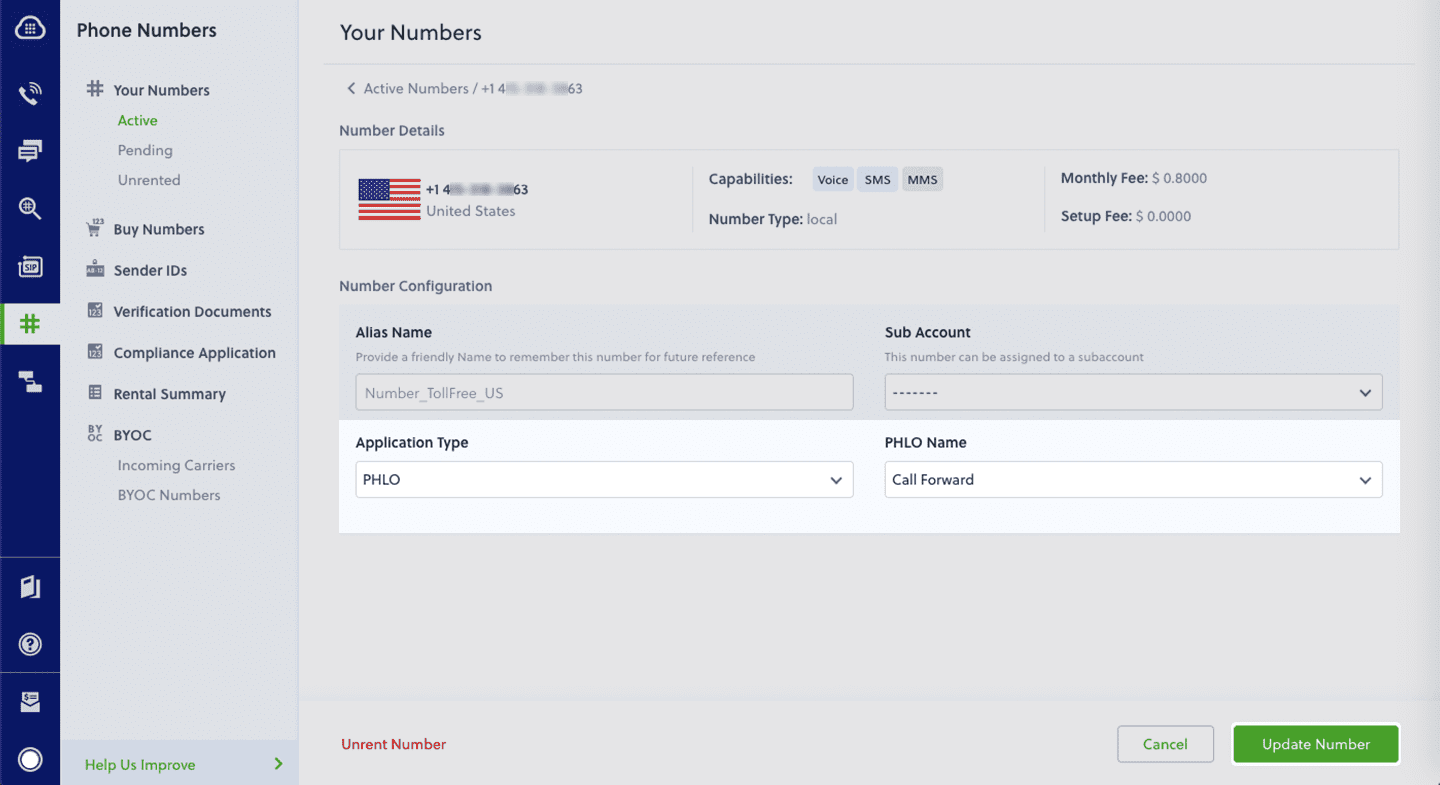
How does a virtual phone number work?
Virtual phone numbers can be easily set up without additional hardware or software. Once set up, virtual telephone numbers can be used to make calls and send texts.
You can customize how incoming calls are handled. Route calls to one number to the customer service team, calls to another number to a voicemail, or set up voicemails to ensure you never miss a message.
Take, for instance, a business based in New Jersey that uses a California virtual number. This setup allows the business to field calls directly to their team in New Jersey, bypassing the need for a physical presence in California.
This flexibility extends to call forwarding options too. An automated interactive voice response (IVR) can greet callers and direct them to the right department, e.g., "Press 1 for Sales, 2 for Customer Support," improving call routing and customer experience.
Additionally, you can track the activity of your virtual numbers — like call volumes, duration, and outcomes. This information can be pivotal for tailoring your business strategies, especially if you're looking to strengthen your market presence in specific regions. For instance, a spike in engagement from California might indicate it's time to double down on your marketing efforts there.
Differences between virtual & regular phone numbers
The table below outlines, at a high level, some of the key differences between virtual phone numbers and regular numbers.
Virtual phone numbers meet the needs of most businesses. However, they aren’t without limitations; in some instances, your business might prefer to use a traditional phone number over a virtual one.
Virtual phone number limitations
There are a few scenarios in which it makes sense to stick with your traditional, legacy phone numbers rather than switch to a virtual one.
Virtual phone numbers require a stable internet connection to function. A poor connection can lead to dropped calls, poor audio quality, or complete service outages. And, while virtual phone systems have robust security measures, they are still vulnerable to cyber threats like hacking and phishing attacks.
Virtual numbers can have an image problem, too. Some people perceive virtual numbers as less legitimate than traditional phone numbers, especially in highly regulated industries like healthcare and finance. It’s important to make sure you find a professional configuration for your number, such as using a landline number, to convey legitimacy.
How to forward a virtual phone number
Forwarding calls from a virtual phone service is a simple process that lets you direct incoming calls to any other phone number or device to ensure you never miss important calls.
With Plivo’s no-code tool PHLO, you can set up call forwarding on your virtual number in less than five minutes. Here’s a step-by-step guide to dynamically route incoming calls. Alternatively, if you want to forward SMS messages, here’s a guide that will help you forward incoming SMS messages to your Plivo number.
Get started with virtual numbers from Plivo
Thousands of businesses in more than 190 countries trust and use Plivo’s cloud communications platform to simplify and personalize their communications. Plivo not only offers virtual numbers, but a wide range of features suitable for today’s evolving business needs.
You can set up your virtual phone number in just a few minutes with Plivo and access other features such as:
- Local, toll-free, and 10DLC numbers
- Number porting
- Automatic call recording
- Call forwarding
- Caller ID
- API verification
- Number lookup
- SMS API
- Omnichannel contact center for B2C customer service teams
Get started with a free trial of Plivo today.

How to Get a Toll-Free Number for Your Business
In this blog post, we’ll explain how and why to get a toll-free number for your business and how to use it to engage your customers.
Getting a toll-free number can be a game-changer for your business. It provides a professional touch, expands your reach, and makes connecting with customers easier.
Whether you’re a small business looking to enhance customer service or a growing company aiming to boost sales, a toll-free number is a valuable tool.
A toll-free number is a phone number where the business pays for the call, not the caller. This makes it convenient for your audience to connect with you without worrying about expensive long-distance charges.
Callers can easily contact your team to learn about your product or service before making a purchase, for example. Or, they can check the status of their orders, get help with product or service issues, and manage account-related queries.
Toll-free numbers have three-digit prefixes, such as 800, 888, 877, 866, 855, 844, and 833. Unlike local numbers, which tie you down to a specific area, toll-free numbers free you from geographical limits.
In this guide, we’ve shared how to get a toll-free number for your own business, the costs associated with toll-free numbers, and the best toll-free number provider.
Let’s dive in.
5 key benefits of toll-free numbers
Toll-free numbers not only offer convenience to customers; they also provide tons of flexibility to businesses. By working with a reliable toll-free number provider, you can use trackable toll-free numbers to measure campaign success and optimize strategies, attract national and international customers, and improve customer service.
Here are some key reasons why companies choose to use toll-free numbers:
1. Better brand identity
Think of a toll-free number like a premium web domain. Numbers with distinct area codes (like 800, 855, or 833 in North America) are far more memorable compared to a local number. They can make your brand stick in people's minds. For example, vanity numbers, also known as alphanumeric toll-free numbers, spell out words or phrases related to your business (e.g., 1-800-PLIVO). Vanity toll-free numbers are catchy, making it easy for customers to remember and instantly associate them with your brand.
2. Enhanced customer experience
Toll-free numbers mean customers can call you without worrying about long-distance charges. This is especially handy if you have clients spread across multiple countries. It makes getting in touch with your support team a breeze.
3. Measurable marketing
You can use different toll-free numbers for each of your marketing campaigns to see which ones drive the most leads and sales. This data helps you optimize your marketing strategies, increase ROI, and lower customer acquisition costs (CAC).
4. Improved sales
Using toll-free numbers removes the cost barrier for customers, making it easier for them to contact your sales team. This convenience leads to more inquiries, questions, and informed purchasing decisions. Ultimately, this boosts customer engagement and increases sales.
5. Enhanced cloud communication abilities
Integrating toll-free numbers with your cloud communication system allows you to manage calls efficiently from anywhere. Features like call routing, interactive voice response (IVR), and CRM integrations improve customer interactions, making your communication system more effective and seamless.
How does business toll-free service work?
Dialing a toll-free phone number is straightforward for callers; it works just like any other phone number.. The primary difference is that the caller doesn’t incur long-distance charges—these costs are covered by the business.
On the business side, toll-free phone numbers offer additional features like auto-attendants, call forwarding, hold music, call recording, call analytics, and even business texting. The availability of these features can vary greatly depending on the service provider you choose.
It’s important to note that some VoIP providers may impose additional fees for receiving toll-free calls. When choosing a service provider, consider these potential costs and ask for transparent billing.
Get a toll-free number for your business
You can procure a toll-free number for your business in five steps. Here’s how to get started.
Step 1: Find a service provider
The first step is to find a reputable service provider who can assign your business a toll-free number. Here are some criteria to consider when selecting a provider:
- Reputation and reliability: Look for providers with strong customer reviews and a proven track record of reliability. For example, Plivo offers globally distributed direct-to-carrier network services that ensure high quality and low call latency.
- Pricing: Evaluate different pricing plans to ensure they fit within your budget. Plivo, for instance, provides transparent, usage-based pricing with the option for volume discounts as your business scales.
- Customer support: Opt for a provider that offers comprehensive customer support. Plivo provides 24/7 premium support and consultative customer success teams to assist with technical guidance and industry expertise.
- Scalability: Choose a provider that can grow with your business, offering the ability to add more lines and features as needed. Plivo’s platform is designed to scale, supporting businesses of various sizes.
Step 2: Compare features
As you vet different providers, evaluate the additional features they offer. Essential features to look for include:
- Call tracking: Monitor and analyze incoming business calls to gather valuable data on customer interactions.
- Call recording: Record calls for training and quality assurance purposes.
- Call forwarding: Your provider should easily let you forward calls from a toll-free prefix like 800 or 888 to your cell phone, ensuring you never miss important business calls.
- Simple IVR: Automate call handling with an easy-to-use interactive voice response system.
- Detailed reporting: Access comprehensive reports on call activity to better understand customer behavior.
- Unlimited channels: Handle multiple calls simultaneously without any issues.
- CRM integration: Ensure the toll-free phone number can integrate seamlessly with your existing CRM systems for streamlined operations.
Step 3: Choose your prefix
Look for a memorable prefix that your target audience will perceive as professional and trustworthy. Common options include 800, 888, 877, 866, 855, 844, and 833. Each prefix can be chosen based on availability and your branding needs. The 800 prefix is the most recognizable option.
Step 4: Set up your account and activate the number
Here’s a step-by-step guide to setting up and activating your toll-free number:
- Sign up: Create an account with your chosen provider, such as Plivo.
- Choose your number: Use the provider’s console or API to select and purchase a toll-free number from the available options. You can have toll-free numbers assigned for general inquiries and a vanity number like 1-800-PLIVO for easy recall and brand reinforcement.
- Configure settings: Customize features such as call routing, IVR, and call recording according to your business requirements.
- Activate: Complete the setup process to activate your toll-free number. Plivo offers instant activation in countries where no additional verification is required. If verification is needed, you can submit necessary documents through their API.
Who can use toll-free numbers?
Toll-free numbers have plenty of advantages for various industries.
1. Healthcare
Healthcare providers, such as hospitals, clinics, and telehealth services, use toll-free numbers to offer patients an easy and free way to schedule appointments, inquire about services, and receive medical advice. Toll-free numbers help reduce barriers to communication, ensuring patients can get the support they need without worrying about call costs.
2. Financial institutions
Banks, credit unions, and other financial institutions use toll-free numbers to facilitate customer service and account management. Customers can call to check their account balances, report lost or stolen cards, inquire about loans, and receive financial advice. Toll-free numbers offer a convenient, cost-free way for customers to manage their finances.
3. Educational institutions
Schools, colleges, and universities leverage toll-free phone numbers to streamline admissions and offer student support services. Prospective students and parents can call toll-free to learn about programs, tuition fees, campus tours, and application procedures. Current students can also use these numbers for academic advising and administrative support, ensuring they have easy and direct access to necessary resources.
4. NGOs
Non-governmental organizations (NGOs) use toll-free numbers to engage with donors, volunteers, and beneficiaries. Donors can call to contribute, inquire about ongoing projects, and participate in volunteer opportunities. Beneficiaries can reach out for assistance and information about services offered by the NGO. Toll-free numbers help NGOs maintain strong relationships with their supporters and effectively deliver their services.
5. Entertainment
Theaters, concert venues, event organizers, and others in the entertainment field use toll-free numbers to manage ticket sales and customer inquiries. Customers can call toll-free to purchase tickets, inquire about event details, and resolve any issues related to their bookings.
How much does a toll-free number cost?
The cost of a toll-free number depends on three main factors:
- The number itself
- Your number’s capabilities
- The caller’s location
Let’s dive deeper into each one of these factors.
The number itself
You can buy toll-free numbers from an FCC-approved provider, known as Responsible Organizations (RespOrgs). Prices vary, with some providers charging $15 per number per month, while others might charge $30 or more.
For instance, Plivo offers toll-free numbers starting at $15 per month. You can purchase these numbers directly through Plivo’s console. If you need additional numbers, they can be added for a small monthly fee, making it affordable for businesses needing multiple numbers.
Inbound and outbound calls
Charges for inbound and outbound calls on your toll-free number can vary. Here are the typical pricing structures:
- Per-minute pricing: Pay for each minute of call time. For example, Plivo charges a competitive rate for both incoming and outgoing calls, ensuring you only pay for what you use.
- Bundled minutes: Pay a set fee for a specific number of minutes each month, such as 200 minutes per month. This can help manage costs if your business has predictable call volumes.
- Plan rates: Higher-tier plans include toll-free minutes, reducing the per-minute cost.
With Plivo, you can choose the plan that best fits your usage patterns to manage costs effectively.
Your caller’s location
Call costs can vary based on where the call comes from. For example, receiving calls from within the US might cost $0.02 per minute, while business calls from countries like Australia could cost $0.10 per minute. Plivo offers transparent international rates, allowing you to calculate costs accurately and avoid unexpected charges.
Example: Plivo’s cost structure
Plivo provides flexible pricing options tailored to your needs. For instance, toll-free numbers are available starting at $15 per month, with additional charges for incoming and outgoing calls based on per-minute usage. This pay-as-you-go structure helps businesses manage costs by only paying for the minutes used.
Why should you choose Plivo for a toll-free number?
Plivo is one of the best toll-free number providers. Here’s why:
1. It’s easy to set up and use
Setting up a toll-free phone number with Plivo is quick and easy. You can get started within minutes. Log in to Plivo’s console, select, and activate your number. Plivo’s user-friendly interface is available via desktop or mobile phone, enabling you to manage your communications from anywhere.
Businesses love Plivo’s round-the-clock support. Plivo offers 24/7 premium support and a dedicated customer success team to provide technical guidance and industry expertise whenever you need it. This support ensures you can resolve issues quickly and effectively, maintaining smooth operations.

2. It’s trusted and reliable
Plivo’s API handles over a billion requests monthly, ensuring your communications are fast and reliable. The globally distributed direct-to-carrier network and intelligent routing provide minimal call latency, so your business calls always get through promptly. Plus, it supports outbound calls to more than 220 countries and inbound voice calls to Plivo phone numbers in 46 countries.
Additionally, Plivo's platform is designed for maximum availability and reliability, boasting a 99.95% uptime SLA. It adheres to strict data privacy standards like Privacy Shield and GDPR, making it a secure choice for businesses that prioritize data protection.
One of our customers, Patrick Ryan, vice president of innovation at LAZ, shares, “Reliability is really important because this is our revenue — this isn’t marketing. One of the things that got us comfortable with Plivo was the fact that you have a status page on your site that shows us the history of any glitches or downtime. It’s transparent, so I could see there was not one red dot in the last 30 days.”
Read the full story here.

3. It has a premium network
Plivo has strategically placed Points of Presence (PoPs) in seven key regions: California, Virginia, Mumbai, Singapore, Frankfurt, Sydney, and São Paulo. These PoPs ensure low latency and high voice quality by routing calls efficiently within these regions.
Plivo also uses direct carrier connectivity, meaning your voice calls are delivered through one-hop, local, in-country carriers. This setup minimizes latency and avoids out-of-region audio issues, ensuring crystal-clear communication.
In addition, Plivo’s intelligent routing engine uses real-time data to prioritize call routing based on multiple quality parameters such as latency, jitter, and Mean Opinion Score (MOS). This ensures your calls are always routed through the best possible paths for optimal performance.

4. It’s packed with features
Plivo offers powerful features right out of the box to help you craft engaging call experiences. These features include voicemail transcription, call transfer, call queueing, call whisper, call hunting, call conferencing, dynamic caller ID, multiparty calls, music on hold, a call feedback API, text-to-speech, and voicemail.
With these tools, you can efficiently manage calls and enhance your communication capabilities, ensuring a seamless and professional experience for both your team and your customers.

5. It provides granular insights
Plivo's Voice API platform provides tools for monitoring and fixing call quality issues. The Call Insights feature gives you quick, actionable summaries to spot and address problems quickly. The Call Summary Dashboard displays key metrics like latency and packet loss, segmented by various factors. Collect user feedback through the Call Quality Feedback API to correlate issues with network conditions and device data.
Detailed call logs and event timelines help pinpoint problems quickly. Real-time alerts and proactive monitoring ensure immediate attention to call quality issues. Features on the roadmap, like audio capture and pre-call connectivity tests, will further enhance troubleshooting.

6. It’s affordable
Plivo's pricing is transparent and usage-based, meaning you only pay for what you use. A toll-free number starts at $15 per month, and additional numbers can be added for $5 per month each. This pricing model and a free trial let you evaluate the service to see if it meets your needs without a large financial commitment.


Protect Your Customers, Empower Your Business: A Guide to Number Masking with Plivo
Discover how Plivo's Number Masking API shields customer data and enhances business communications. Learn how to easily implement number masking to protect privacy and build trust.
Privacy breaches are obviously bad for business, but the hidden cost of a breach may be more than you realize. When a delivery or rideshare driver misuses a customer’s personal information, it’s not only dangerous but damaging to your brand’s reputation. Such incidents can expose the business to legal and regulatory challenges, as well as increase customer churn and result in a revenue loss.
Number masking is the simplest way to mitigate the risk of a privacy breach and build your end users' trust. Plivo's Number Masking feature enables businesses to mask their customers' and partners' real phone numbers, thereby shielding their actual contact details. Continue reading to discover how number masking works and how to get started.
How does number masking work?
Number masking enables anonymous interactions to safeguard user data during everyday transactions—be it food delivery, hailing a ride, or accepting a package.
Let's consider a real-world application of number masking through the experience of Rahul, who orders groceries online. Concerned about privacy, Rahul wishes to avoid sharing his personal phone number directly with the delivery service.
- Upon placing the order through a grocery delivery app, the app employs Plivo's Number Masking feature to assign a temporary phone number specifically for communication related to this order.
- Rahul, wishing to share some additional delivery instructions with the delivery agent, calls the temporary number provided by the app.
- Plivo's system seamlessly routes the call from Rahul to the delivery agent, utilizing the temporary number. Throughout this process, the actual phone numbers of both Rahul and the delivery agent remain hidden from each other.
- If the delivery agent needs to clarify the delivery instructions or communicate any updates related to the order, he can also use the temporary number to reach Rahul.
Here’s what this process looks like in practice.

Ultimately, Plivo’s Number Masking feature acts as a bridge between customers and businesses, allowing them to communicate effectively without compromising personal phone numbers.
Benefits of Plivo’s Number Masking API
Unfortunately, many number masking solutions on the market require businesses to develop their solution from the ground up, a process that can be both time-consuming and labor-intensive. For many companies, the complexity of implementing number masking presents too high a barrier.
Plivo's off-the-shelf Number Masking API is designed to eliminate this complexity, making implementation straightforward in mere two simple steps.

Get started with Plivo's Number Masking API
With Plivo, your business can bypass nearly 80% of the time and effort required to develop a number-masking solution from scratch. Just a few steps are all it takes to get up and running:
- Register with Plivo.
- Purchase preferred numbers to serve as virtual numbers through the Plivo console, or procure a phone number using the API.
- Create a number masking session using the API by providing the first_party and second_party numbers, along with other required parameters tailored to your specific use case.
- Plivo will automatically handle the assignment of the virtual number to the session.
Congratulations! You've now successfully set up a number masking session. Test the session by initiating a call to the virtual number, which will be correctly routed to the intended recipient.
{{cta-stayle-1}}
What else is possible with Plivo’s Number Masking API?
Beyond providing number masking at an affordable cost, Plivo's API enhances security through PIN-based authentication, ensuring that calls from unregistered sources undergo verification before connection. Plivo's intelligent algorithm also manages the allocation of virtual numbers efficiently, ensuring their optimal use.
Call recordings is another feature available through Plivo’s Number Masking API. While keeping all user information private, Plivo can record calls for quality assurance. Recordings are stored on Plivo servers free of charge for 90 days. Encryption is available for even more security.
Number masking is a transformative tool for businesses aiming to prioritize customer privacy and foster trust in their brand. With Plivo's comprehensive Number Masking API, deploying this security measure is more accessible than ever. For more details refer to our developer documentation.

What Are Customer Service Workflows And How to Build The Best One?
Want to build customer support workflows that drive higher levels of customer satisfaction? Read on to learn more.
Gone are the days when price was the only differentiating factor when customers weighed different solutions. Customer experience (CX) is the new revenue driver, and repeated positive experiences will lead a customer to make repeat purchases or advocate for your business.
The customer experience management market is expected to grow from $19.34 billion in 2024 to $70.20 billion by 2032, at a CAGR of 17.5%, according to Fortune Business Insights. This highlights the growing importance of CX in business strategies. Besides that,
- Gartner reports that 89% of businesses recognize CX as a key competitive battleground
- Statista reveals that 44.5% of organizations globally see CX as their main way to stand out
- Also, customers spend 140% more after great experiences compared to negative ones
However, to ensure an excellent and seamless service process, you must build robust and productive customer service workflows to ensure your agents and CX teams are always equipped to win and retain customers. In this article, we discuss how you can proceed.
What Are Customer Service Workflows?
Customer service workflows refer to processes that help you achieve your customer support goals through a sequence of steps. They act as a pre-defined blueprint of steps that easily integrate into and support your customer service operations.
The process eliminates the need to create new action steps for every customer interaction, enabling agents to be more productive and deliver faster and more effective query resolution.
Consider the scenario of creating a standardized, high-quality onboarding experience for every customer. Now, instead of mapping out a new onboarding plan each time, you’d want to follow a consistent approach that is rooted in proven techniques, like this one:
- Customer signs up for your product
- The customer receives an automated welcome email/message
- Guided product tour with the onboarding team
- Schedule routine check-ins
- Celebrate customer-centric milestones
Importance of Building Customer Service Workflows
Improves efficiency
Automated workflows promote efficiency in customer service operations by streamlining processes, saving agents valuable time and energy otherwise spent on repetitive manual tasks.
According to Salesforce, workflow automation is a top priority for 95% of IT and engineering leaders. This is further iterated by the fact that 74% of IT leaders have saved 4 hours each week by implementing workflow automation.
Builds accountability
You can design the workflows to assign specific queries to specific agents automatically. This defines responsibility and ensures that every query gets an adequate resolution without requiring multiple follow-ups.
A unified system with tighter integrations
These workflows also streamline customer support operations by consolidating all your tools and solutions into a single unified platform. Seamless integrations across your tech stack allow agents to manage all customer interactions in one place.
Agents can perform multiple tasks, such as making and receiving calls while accessing a complete history of the customer’s interactions with the support team—resulting in faster query resolution.
Proactive response
Customers always appreciate prompt and hassle-free solutions to their queries. A customer service workflow helps eliminate operational bottlenecks hindering smoother service delivery.
Agents don’t need to spend hours trying to figure out what works best—they have ready-to-use, plug-and-play workflows that help them focus on delivering a high-quality response.
Performance overview for agents and teams
Dynamic reporting and analytics integrated into the workflows offer a comprehensive view of agent and team performance. This allows for assessing productivity levels, identifying areas where service quality can be enhanced, and implementing strategies for continuous improvement in customer service operations.
Types of Customer Service Workflows
Here are some of the most commonly used customer service workflow examples that might be helpful for your business:
Issue resolution workflows
These are crucial for retaining customers and improving customer service operations.
Here’s what a customer service workflow diagram for issue resolution looks like:
- Issue resolution workflow starts with ticket generation when the customer raises a query
- Sorting and delegating issues to relevant agents/teams
- Solving issues and/or escalating to senior teams or other technical teams/experts
- Deliver the solution or lay out the next steps for customers to follow
- Schedule follow-up or communicate a timeline for follow-up for less critical issues
- Close the ticket on conclusion of the issue
- Send feedback forms to customers to evaluate the quality of support
Chatbot workflows
Chatbots are the ideal channel for round-the-clock support as they facilitate customer self-service experiences.
Here’s what a customer support workflow diagram for chatbot operations looks like:
- The customer types something or opens the chat window
- The chatbot greets the customer and sends a menu with predetermined options/questions
- The customer picks an option from the menu to raise a query
- The chatbot accesses the knowledge base to respond to customer queries
- The customer makes a choice that triggers actions to resolve the issue
- Feedback is gathered from the customer
Customer order workflows
Customer order workflows are integral to the customer experience, particularly for e-commerce businesses. This workflow is automated from the purchase of the product to the final delivery/receipt of the product to the customer.
This is what a customer service workflow diagram for customer order processes would look like:
- The customer places an order
- Order is initiated within the order management system
- Order confirmation is sent via email/SMS
- The warehouse team is notified about the order
- The tracking number is initiated to be shared with the customer
- Product is delivered
- Product feedback workflow is initiated
Product feedback workflows
It is essential to have a customer service workflow dedicated to product development and improvement. How is your product faring? Which features are in demand? Which features need an upgrade? Did the customer face any problems in using your product?
Here’s a customer service workflow diagram illustrating how product feedback workflows are recorded:
- A product feedback form is sent to the customer, acknowledging their effort
- Feedback is routed to relevant channels or segments
- Necessary modifications are implemented into the product
- Final communication is sent to the customer about implementing the product feedback
How to Build a Customer Service Workflow: A Step-By-Step Guide
Here’s a step-wise strategy to create a customer service workflow for your customer-facing operations:
Step 1: Create a simple diagram of your workflow
Unlike the linear diagrams given above for common customer support workflow diagrams, most workflows are much more complex. Each step has multiple ‘if this, then that’ scenarios that need to be accounted for, and it involves the following steps:
Review the current processes
Get started by taking stock of your current workflows. Define each step and the conditions that should be met for the process to be complete. Spotting loopholes in your workflows early on helps retain customers and generate higher CSAT scores.
Alternatively, poorly designed customer service processes are a recipe for disaster. They can result in long wait times, inadequate resolution, and even agent burnout—each of which points to customer churn.
What are the decision points?
Decision points refer to the locations within a workflow where a process branches out. We have already mapped out a few customer support workflows relevant to different scenarios. However, in practice, these workflows are more nuanced and dynamic, which is where decision points come in.
Decision points are where the workflow branches out into if/then scenarios. Here, a ‘then’ action is automatically initiated depending on the 'if' condition.
What are your constraints?
Constraints within the customer service workflow processes refer to regulatory requirements and financial compliance based on service level agreements and time frames.
Step 2: Determine who interacts with your workflow
Multiple stakeholders are involved in completing every workflow. You must clearly define who will interact with queries at each step of the workflow. This typically involves customer-facing teams and front and back-office departments supporting customer service functions.
When building your workflows, consider the following aspects:
Clearly define stakeholders and their roles
To go deeper, identify how each interacts with the customers. Whether the customer experience teams carry out onboarding calls or the tech team ensures quick turnaround on bugs and other tech issues, each individual is a vital workflow component.
Without clearly identifying each contributor's role, your customer support machinery will become a directionless web of actions.
The departments where process stakeholders work
Cross-functional collaboration across departments is essential for smoother movement within a customer service workflow. Let other departments involved in the workflow know how to prioritize and enable the resolution of customer service requests.
Step 3: Identify your data requirements
Knowing what data will be required to drive these workflows is an equally important step. Within automated systems, the support team must know where all the essential data is stored and how it will be synchronized between different stakeholders and departments.
How will data be connected?
Define how the data handoff between various stakeholders and departments will take place. Consider the scenario where an existing customer wants to add more features to their package. The process must ensure that all the necessary data reaches the product or other relevant departments.
What does your tech stack look like?
The software you choose must be compatible with the tech stack other teams use to ensure an automated and error-free flow of information between different systems and departments.
Step 4: Use workflow automation tools
Integrate your workflows using automation tools. These tools enable users to create and customize workflows without switching between tabs and/or windows.
Plivo CX's drag-and-drop workflow builder allows you to effortlessly create tailored customer journeys across all communication channels in just a few clicks. With enterprise-grade security and integrations like Shopify and Salesforce, the platform streamlines communication and enhances customer experience.
Step 5: Test and refine
Finally, the efficacy of every workflow is tested using real scenarios. At this stage, you must be able to answer the following questions: Has the customer support workflow truly advanced you toward your customer support objectives and/or improved your support team’s efficiency?
Optimize customer service workflows by A/B testing multiple variants. Compare performance under identical scenarios and conditions to identify the most effective version, ensuring continuous improvement and the best possible customer experience.
Best Practices for Creating Customer Service Workflows
Let’s take a look at some of the best practices you can implement to drive higher ROI with your customer service workflows:
Opt for the right tech stack
Don’t rely on your CRM or voice software for customer support communications. Deploy an integrated customer support platform to your customer support workflow processes. Consolidating all your important tools into a single interface will simplify the creation of new workflows.
Embrace continuous improvement in customer service processes
Given the ever-growing expectations of customers today, your customer support management should be able to stand the test of time. Conduct regular process audits and upgrade your customer service workflows to meet the needs of modern customers.
Follow a customer-centric approach
When building your customer support workflows, keep your customers front and center. Maintain a consistent, high-quality experience for them from the start and throughout their journey with your brand.
Enhance Customer Service With Plivo CX’s Drag-And-Drop Workflows
The right solutions, such as building a customer service workflow, can be your gateway to establish more reliable customer service processes and boost customer satisfaction.
Plivo CX's drag-and-drop workflow builder simplifies the creation of powerful automation workflows for customer journeys. Its intuitive interface allows users to connect components, configure them within the workflow, and even trigger workflows remotely using APIs.
Also, features like easy handoffs to human agents and skill-based routing enhance efficiency. Plivo CX prioritizes enterprise-grade security and integrates with various platforms like Shopify, Zoho, and Salesforce.
Whether you need solutions for e-commerce, automated flows, or proactive customer service, Plivo CX’s comprehensive resources and features empower businesses to streamline communication and improve the customer experience.
Book a demo now to learn more!

Omnichannel vs Multichannel Customer Service
Learn how omnichannel and multichannel customer support differs, and find out which method offers the most seamless experience for your customers.
"We see our customers as invited guests to a party, and we are the hosts. It's our job to make the customer experience a little bit better." – Jeff Bezos.
Bezos is absolutely right. And to create that welcoming, engaging party atmosphere, brands are now leveraging a multitude of communication channels. They're connecting with customers through AI chatbots, WhatsApp, email, SMS, social media, and even personalized calls or meetings.
Despite the best intentions, there's always room to improve the customer experience, and many of us have encountered moments where it could be better.
In a 2024 study, Forbes indicates that 64% of customers admitted they would switch to another brand if they found poor customer service, even if they liked the product. To overcome this, businesses are now focusing on making data-driven decisions.
They also seek to enhance their customer service with two distinct approaches: omnichannel customer service, which can retain 89% of customers year over year and multichannel customer service, which leads to an increase in both in-store and online sales.
Although omnichannel and multichannel customer service sounds similar, they are distinct approaches. Omnichannel customer service involves providing a seamless experience across channels, whereas multichannel customer service is more siloed, offering support on separate channels.
In this blog post, we’ll deconstruct what they are, how they work, and how to select the right one for your business growth.
Let’s begin!
What is Multichannel Customer Service?
Multichannel customer service offers support on multiple channels, such as email, phone, and social media. However, each interaction is handled separately.
As a result, this approach can lead to significant drawbacks. For example:
- In a multichannel contact center, customer support teams often operate in silos, lacking access to a complete view of the customer's interactions across different channels. This results in disjointed conversations and vague responses, ultimately leaving customers frustrated and dissatisfied.
- Customers may have to start from the beginning for each new interaction until they receive satisfactory support, which can turn them away and result in lost sales.
Imagine a customer emailed a company about a problem with their recent order. However, this customer had previously called the company to discuss the same issue, but the email representative had no record of that call. So, the customer ends up having to repeat their entire story and explanation, causing frustration and a sense of being unheard.
This is a classic example of the disconnect that can happen in a multichannel contact center.
Such a lack of synergy in multichannel customer support highlights the priority of goods and services over customer satisfaction, which can potentially hamper future purchasing decisions.
What is Omnichannel Customer Service?
On the other hand, omnichannel customer service establishes a frictionless omnipresence of customer service. It provides interconnected, all-time-present, and consistent customer engagement across all communication platforms.
As a result, regardless of the platform that customers choose, there is no room for a disrupted and annoying experience. Instead, customers receive highly tailored solutions based on their individual interactions and purchase history, fostering a sense of loyalty and understanding.
For example, consider PayPal Happy Returns to understand the omnichannel environment. To streamline PayPal's omnichannel return solution process, customers can initiate returns directly from the retailer's website instead of a separate website or app. They receive a QR code, visit a Return Bar location (partnered with Ulta Beauty), scan the code, and get a real-time refund without packaging or labels.
To be specific, an omnichannel contact center revolves exclusively around customers' requirements and priorities rather than products or services first.
Omnichannel vs Multichannel Customer Service: A Quick Comparison
Benefits of Omnichannel Customer Service
According to Deloitte, with omnichannel relationship management, you can earn loyalty from up to 62% of customers. Let's explore how it can be accomplished:
✅ Unified customer context
First, your customer support teams need a cohesive context to win over your customers’ buying psychology. For this, they gather consolidated data through omnichannel communication, segregate it, and map a strategic customer journey to suit their needs.
Salesforce State of Service highlights that it’s nearly impossible to provide great customer service without full customer context. Therefore, focus on these aspects to build more context:
- Have a sharp eye on your customers' queries, be it their problems or interests
- Distribute data across different channels with ease
- Help customers smoothly transition from one platform to another
- Create a clear feedback avenue for your team members as well as customers
✅ Lower resolution time
Naturally, customers tend to prefer effective assistance without waiting in a long queue or going through multiple follow-ups. With omnichannel support, you can reach them through a wide range of touchpoints while taking positive action with valuable knowledge.
Since 90% of customers consider an immediate response within 10 minutes a sign of a better experience, omnichannel support helps you go this extra mile by lowering average resolution time. Doing so increases the possibilities of making your customers happy and turning them into your brand’s loyal advocates.
"Happy customers are your biggest advocates and can become your most successful sales team." — Lisa Masiello.
✅ Higher NPS and CSAT
With omnichannel customer service, you can efficiently provide what your customers want and treat them with the same care and consideration you'd expect from trusted friends and family. This personalized approach fosters a sense of value and belonging, making them feel truly appreciated.
This way, increasing the “Customer Satisfaction Score” (CSAT) no longer remains an unbeatable challenge, and it positively impacts the “Net Promoter Score” (NPS). Your satisfied customers continually engage in word-of-mouth marketing, recommending your brand to their dearest ones without hesitation, even before you ask for a referral.
✅ Better quality of collected customer data
Insights from PWC show that American consumers value speed, convenience, and knowledgeable help. This underscores how these factors can bring customer loyalty, reduce customer attrition, and enhance customer lifetime value.
However, achieving this may not be possible without clean and in-depth data, and this is where omnichannel service plays a bigger role. Adopting it can lead to a flawless understanding of opportunities and challenges and crafting data-rich strategies.
To make it more accountable, the following approaches can be helpful:
- Be thoughtful about which type of customer data you want to track
- Prioritize data quality over quantity to head in the right direction
- Remove redundant or bloated data from the system to stay updated at all times
- Ensure cross-checking of the accuracy of individual customer data before making offers
Omnichannel vs Multichannel Customer Service: Which Approach Can Be Better for Your Business?
To put it simply, neither is “better” than the other—it solely depends on the business's needs. All you need to do is decide which is essential to reducing customer friction.
Here’s how you can proceed with choosing the most suitable option for your customer service:
👉 Know your customer well
Prompt assistance, more convenience, personalized interaction, or a hike in valuable offerings—consider what your customers are looking for. Taking their choices and feedback into account can shape your strategy with the right choice of customer service.
After all, if your customers come first, they will last.
👉 Evaluate existing resources and their capacity
Next, identify your budget range. Can you satisfy your target audience with your existing resources, or do you need more?
Finding specific answers to these questions and jotting down a list of your backup options can help you choose the right operational method through top customer service channels and smoothly run them.
👉 Think about your long-term goals
Will you target an expanding customer base? Or do you want to launch more unique features to level up brand value and customer experience? If you decide to make your path more scalable and flexible, sticking with or switching to a synchronized service would be a great choice.
👉 Make a decision based on your current situation
As Salesforce data suggests, 76% of customers expect a unified experience across all departments of a brand. Therefore, incorporating flawless omnichannel support becomes an obvious choice. However, it requires skilled people, modern technology, and sufficient financial resources.
Based on your current capabilities, either move forward with omnichannel service or continue with multichannel, upgrading it later if resources are limited now.
Offer a Superior Omnichannel Customer Service with Plivo CX
Both omnichannel and multichannel customer service strategies aim to enhance customer interactions, but omnichannel provides a more integrated and seamless experience. This improves customer satisfaction compared to multichannel's potentially fragmented approach.
If you want to leverage the power of a true omnichannel customer service platform, Plivo CX comes with a Unified Agent Desktop that brings channels such as AI-powered chatbot that works for all messaging channels like voice, SMS, email, and WhatsApp together in a single interface. Handle interactions seamlessly without switching between multiple tools.
With OpenAI-powered chatbots, IVR and voicebots, you can optimize customer service costs while quickly handing over complex issues to suitable agents. No-code workflow builder empowers businesses to create personalized customer journeys across all communication channels.
Plivo CX can also help you quickly integrate with the existing tech stack and homegrown systems. You can also coach agents with comprehensive live metrics and historical reporting.
On top of everything, it is powered by Plivo’s award-winning, reliable and high-quality carrier network.
To see Plivo CX in action, schedule a demo today!

How Much Does Customer Support Cost and How To Reduce It
If you’re a business leader or a head of customer support, here’s how you can calculate how much your customer support costs and tips to reduce it.
Introduction
The role of prompt, result-driven and empathetic customer service in shaping brand perception and building long-term relationships hardly needs an introduction.
According to the Journal of Consumer Research, studies show that 90% of consumers expect immediate responses to their inquiries, and companies that meet these expectations see significant improvements in brand perception and customer satisfaction.
However, customer service leaders face unrelenting pressure to deliver more value to customers while reducing costs to the business. Here’s where getting the customer support calculation right and using strategies to optimize the cost becomes necessary.
Reducing costs also requires a comprehensive understanding of a customer service unit's P&L. This equips leaders to understand the nuances of different cost verticals and helps them design their cost optimization strategy.
In this article, we go through the various costs associated with building a robust customer support system and highlight proven customer service cost optimization strategies.
Why is Calculating Customer Support Costs Important?
Here’s how calculating customer service costs helps you identify gaps and fix them early on:
1. Effectively align the resources needed
With costs at hand, business leaders can gauge their support human resources sufficiency better. This helps avoid overinvesting or underinvesting and guarantees that you do not have SLA breaches.
This strategic approach minimizes expenses such as workforce and onboarding costs and improves the overall effectiveness of customer support operations.
2. Streamline the overall process and improve efficiency
Identifying areas suitable for automation or efficiency improvements through software or enhanced employee training is key to reducing customer service costs. This leads to happier customers due to faster response times and improved issue resolution, boosting your team's productivity.
Ultimately, this translates to increased customer loyalty and repeat business, all while optimizing your operational budget.
3. Make faster decisions to identify investments
Knowing how much customer service costs early on, instead of being an afterthought, helps you make quick decisions about whether to invest in a particular technology or downsize the investment.
For example, you’re spending way more on legacy software in terms of yearly renewal and maintenance costs, and the learning curve is so high that your agents are not using it to its full potential. Instead, you could move to new-age software with pay-as-you-go pricing to make it more viable and show the ROI to your stakeholders.
How to Calculate Customer Service Costs?
The total customer service cost can be divided into three parts:
1. Workforce cost
This is defined as the cost of employees, their salaries, benefits, onboarding, IT and training, and any additional costs associated with your customer support team.
For organizations with a well-established customer service department, workforce costs are higher than software and hardware costs.
2. Operational cost
For your customer support employees to diligently resolve endless customer tickets, there has to be a robust infrastructure supporting them. Everything comes under operational costs, including rent, equipment costs, and software licenses.
Some companies also offload these costs by hiring outsourcing partners. However, remember that outsourcing comes with the burden of limited accountability and limited process control.
3. Customer churn cost
Ineffective customer service can drive customers away, resulting in lost revenue and additional expenses to acquire new customers. These hidden costs can significantly impact your bottom line. Investing in quality customer support can not only retain valuable customers but also save you money in the long run.
It is often the case that some of the above costs are shared between different teams.
If you are in a dilemma of whether a cost head should be included, this LinkedIn post from the Senior Director of Sun Country Airlines guides you on how to approach this:
Industry Customer Service Cost Benchmarks
Here are some customer service cost benchmarks across large (greater than $100M ARR), medium ($10M to $100M ARR) and small(less than $10M ARR) companies that you can use to compare your company costs. The segments are identified to normalize the economies of scale and the stage of the company.
- Large-sized companies: 39% of them have customer service team costs 5% or lower than their ARR.
- Medium-sized companies: 22% of them have customer service team costs in 5% to 10% range and 35% have them controlled under 5% of their ARR.
- Small-sized companies: The percentage of companies are uniformly distributed across from >30% to <5% of ARR except having 25% companies lying in 15% to 10% ARR range.
As per a study in 2021, below is the average breakdown of the customer service desk costs worldwide in 2021. The study also highlighted that the breakdown remained relatively consistent from country to country and region to region

Important KPIs for optimizing customer service costs
Now that we know the different customer service cost functions, let’s look at the customer service examples and KPIs you can use to optimize costs:
Cost per support ticket
The cost per support ticket tells you how much you spend per customer query. This metric gives an overview of the complete support function and helps you gauge cost optimization results.
To find the cost per support ticket, use this formula
Total customer support spending/ Number of tickets = Cost of support per ticket
Total customer support spending includes all the costs like rent, maintenance, payroll, and software licensing fees.
For example, if you spent $3200 on 1000 tickets, your cost/ticket becomes $3.2. This can become your go-to metric to take product or hiring-related decisions with holistic understanding of the impact on margins. You can further deep dive into this metric by understanding if there are specific clients or geographies with high cost/ticket driving this.
A study finds the below channel wise cost metrics for the North American market in 2021. It shows that the cost of self-help channel is on average 8X better than voice or chat based channels.

Cost of support per order
Calculating customer service costs requires taking into account both acquisition and retention expenses. A portion of every dollar spent on acquiring new customers is necessary to retain them, emphasizing the importance of accounting for retention and support costs.
To calculate the cost of support per order, use this formula:
Total customer support spend/number of orders = cost of support per order
A high support cost per order can be a red flag, indicating potential inefficiencies in your support team’s workload. This situation requires an immediate review of your internal processes to streamline operations.
Cost per revenue
Calculating customer support costs relative to revenue helps determine whether support costs are justified and sustainable for your company.
To calculate the cost per revenue, use this formula:
Net sales/ Total Number Of Tickets = Cost Per Revenue
Strategies to Reduce Customer Service Costs
Customer self-service options
Chatbots are one of the most reliable ways to meet customers’ needs 24/7. Without heavily investing in a team to be always available, you can leverage an AI-driven chatbot and enable customers to self-service as required.
Chatbots automate customer resolutions enhancing your capability to cater to a large ticketing volume with a small team size, resulting in lower overall customer support costs.
Plivo CX offers an intuitive chatbot developed in partnership with OpenAI. It ensures your customer support remains state-of-the-art. With no coding required, you can build your AI chatbot in minutes and train it using only the selected content, ensuring accuracy and relevance.
Besides, you can also enhance your customer service efficiency with our fully customizable voice IVR. Allow callers to self-select options for quicker routing, reducing wait times. Personalize the customer experience by using customer data in greetings and voice prompts.
Omnichannel customer support
Let your customers contact your support team via their preferred channels. An omnichannel customer support platform like Plivo CX provides a unified agent desktop with real-time support across channels, including AI-powered live chat, voice, SMS, email, and WhatsApp.
This eliminates the need to switch between different applications. Service agents can quickly get all the context-building customer information in a single window.
Agent training
Plivo CX’s metrics and reporting feature has live agent dashboards to reskill your customer service team and historical reports for in-depth insight and agent coaching. Some of the standout coaching features that help you reduce customer service costs are call recording, call barge and whisper, and CSAT collection.
Customizable workflows
With drag-and-drop workflows, you can simplify your processes and boost efficiency. Customer service teams can quickly configure and automate complex customer journeys, drastically reducing the time and effort required for setup and management. The workflows can also be integrated with homegrown systems.
How Do You Calculate the ROI of Customer Support?
Customer support linked upsells and cross-sells
Find out how many upsells and cross-sells have happened after a customer support touchpoint within a desired timeframe to gauge the revenue generated from this activity.
However, you might need a well-integrated backend system to accurately monitor upsell and cross-sell data.
Once you have the data, apply this formula:
ROI = (Revenue from upsells and cross-sells - Customer support costs) / Customer support costs * 100
This formula gives you a percentage representing your customer support’s ROI. It shows if your investment in customer support is worth it.
Retention
Another way to estimate ROI is to find how the customer support team influenced an existing customer's decision to renew the service. Retention is a long-term metric that varies from company to company.
Once you have your retention metric defined, apply this formula:
ROI = (Revenue from renewals - Customer support costs) / Customer support costs * 100
A higher ROI indicates lower churn rates, which directly reflect the impact of your actions on customer loyalty. It shows how your customer service efforts contribute to customer retention and revenue growth.
Indirect returns
While the above two methods discuss direct ways of measuring ROI estimates, the customer support team also brings some benefits that are hard to quantify.
For product and marketing teams, customer support teams serve as the first point of contact to understand customer pain points. This feedback is essential for continuous product development and impacts the overall customer experience.
Here are some questions to help measure these indirect benefits:
- How many bugs did customers report?
- How many customer-suggested features were added?
- How many sales leads from support interactions were converted?
Though these numbers are challenging to track, they are vital for understanding the ROI of customer support.
Enhancing the Overall Value of Business Through Customer Support
Undoubtedly, it is challenging for leaders to balance exceptional customer service and cost optimization. However, understanding cost structures and reviewing KPIs and ROI of support functions can hedge cost components and secure business growth.
As a proper omnichannel customer service solution, Plivo CX can help you reduce your customer service costs while maximizing customer experience as you can drive a seamless experience across channels, create several touchpoints with customers, and empathetically interact with them 24/7.
It also leverages Plivo’s award-winning carrier network so that you can deliver top-notch services across the globe, on the channels your customers prefer.
To learn more, book a demo.

Customer Service Automation: A Quick Guide to Getting Started
Learn about customer service automation, its examples, channels, and the best customer service automation software, Plivo CX Service.
A McKinsey report suggests that 60% of global consumers consider convenience a key factor when choosing where to shop. Thus, businesses that fail to offer convenience risk losing customers to competitors who do.
But what happens when your customer support inquiries outgrow your support team’s capacity? Or when customers reach out for help on holidays or outside office hours?
Providing consistent, top-notch customer support becomes more challenging as your business grows. Customer dissatisfaction skyrockets by 262% when wait times exceed what customers anticipate.
In this scenario, customer service automation comes to the rescue.
If you’re looking to discover its potential and implement automated customer service for maximum client satisfaction, this detailed guide is for you.
What is Customer Service Automation?
Customer service automation involves integrating an assortment of automation technologies, including self-service chatbots, IVRs, automated notifications, and more, into your customer support operations. The goal is to elevate the customer experience, offering a level of service that surpasses what human agents alone can provide.
A McKinsey report points out that one of the remarkable shifts in post-COVID consumer behavior is shifting notions of brand loyalty. With more options open and available than ever before, customers aren’t shying away from trying out (or switching) to a competitor.
Therefore, working proactively to build brand loyalty is crucial. And what’s one of the essential ingredients for building brand loyalty?
An enhanced, empathetic and prompt customer service.
Automated customer service lets you achieve this. It blends with traditional support methods, such as one-on-one customer calls, to handle large customer queries without running out of resources.
Some other notable benefits of customer service automation are as follows:
- 24/7 availability
- Quick redressal of common queries and FAQs
- Intelligent ticket routing
- Improved overall customer satisfaction
The difference between traditional customer support and automated customer support
Traditional and automated customer support are not opposing forces but complementary elements in modern customer service. The optimal strategy blends the strengths of human interaction with the efficiency of automation to create the best possible customer experience.
Here are some fundamental differences between traditional and automated customer service:
How Do You Implement Automated Customer Support?
Customer service automation takes place through various software channels, such as:
1. Self-service AI chatbots
Powered by the latest generative AI technology, AI chatbots quickly respond to customers’ queries, direct them to knowledge bases, and create tickets. Advanced chatbots even hold a full-fledged conversation with your customers and completely resolve their queries. When unable to assist, they hand off queries to the right support agent.
Ideal for: Resolving repetitive customer issues and queries. AI-powered chatbots can be trained to tackle complex problems using your product’s knowledge base and take action on connected business systems like order management, CRM, payment systems, and helpdesks to resolve requests. Chatbots can also transfer conversations to a human representative for more complex or sensitive issues that require a personal touch.
2. Automated ticketing systems
Automated ticketing systems classify and route complex customer queries to the most appropriate POCs. They collect the relevant customer data, such as images, issue descriptions, and other details, before transferring it to the right touchpoints.
For instance, a transaction issue would be automatically directed to the finance team, while a product quality concern would involve the most suitable point of contact. This streamlined process ensures that each query receives prompt attention from the most qualified personnel.
Advanced ticketing systems also:
- Nudge agents to take action when tickets are open too long
- Keep customers informed about their ticket status
- Assign tickets based on agent workload and availability
- Suggest self-help resources
Ideal for: Handling transaction-related or product-quality issues that require human intervention but are not urgent. These systems streamline the process, addressing customer concerns promptly while freeing up your support team.

3. Knowledge base
A knowledge base includes product guides, FAQs, video resources, and glossaries that help users with the most common concerns.
A lot goes into creating a worthwhile knowledge base—looking at your support ticket data, analyzing your products, services, or policies, reviewing specific use cases, compiling inputs from cross-functional teams, and organizing it all neatly in a format customers can engage with.
An effective knowledge base fosters self-help and integrates well with your AI chatbot. Once your customer faces an issue you covered in your knowledge base, chatbots redirect your customer there for detailed step-by-step assistance.
For instance, take a look at the omnichannel customer service platform Plivo CX’s knowledge base:

In addition to video guides, this knowledge base provides articles and resources to help users fully understand and utilize the platform's many features.

Ideal for: Covering product demos and tutorials, use cases, or informing customers about your product’s return or refund policies.
4. Canned responses
Canned responses are pre-written text messages that your customer service agents can use to chat with customers quickly. They help improve agent response times and reduce agent fatigue. They also help incorporate brand voice and tone in customer communication across channels.
For instance, an agent named John can have a canned response that says, “Hi, I am John. I will assist you with your issue today.”

Ideal for: If your website doesn’t have a live chat feature or your customers prefer reaching out to you over email, implement canned responses for FAQs related to products, services, returns and exchanges, and pricing to decrease the response time.
5. Voicebots
Leveraging the advanced capabilities of conversational AI, natural language processing (NLP), and speech recognition technologies, interactive voice-based assistants add a layer of superior and personalized customer service to your business while lowering operational costs. They understand customer sentiments and optimize call routing by sending high-priority issues to the right team. Moreover, AI-driven bots can provide round-the-clock service to customers in the language of their choice.
Ideal for: Handling tier-1 support queries and routine inquiries. In healthcare, voice bots can schedule appointments and provide information on treatment options. In banking, a voice bot can verify a customer’s identity and perform tasks like checking the account balance and blocking a stolen card.
The Advantages of Automated Customer Support
1. Allows for seamless scalability
Your mid-sized business may be managing customer support with a small team today, but as your business grows and customer inquiries increase, your team will soon reach its limit.
Customer service automation handles thousands of customer interactions simultaneously. Plivo CX integrates with your existing tech stack as you grow—ticketing, order management, CRMs, and more.
Additionally, you get to build customizable no-code workflows that are automatically triggered with any inbound call or text. For example, you can set a workflow to route high-priority and usual customers to different queues.
2. Provides 24/7 support availability
24/7 availability simply means allowing customers to reach out for support anytime. You also risk customer churn if you are slow to respond or hang up on them. Plus, hiring night shifts is not just expensive, but night-time workers are also at a higher risk of anxiety and mental health concerns.
To avoid this, AI-powered chatbots ensure customer queries are answered round the clock, whether your support team is online or not. To elevate the customer experience further, Plivo CX partners with OpenAI to offer intelligent chatbots you can easily train and connect with your existing knowledge base.
Also, the platform’s drag-and-drop workflow builder allows businesses to create custom customer journeys across all their communication channels. Not only that, the platform seamlessly integrates with various systems, including homegrown solutions.
3. Improves agent efficiency
Apart from handling customer concerns, your customer service automation tool empowers agents to focus on value-driven activities such as attending to complicated questions, upskilling, analyzing and improving performance.
For this, Plivo CX offers a Unified Agent Desktop that offers a clutter-free agent interface. On the left pane, agents can toggle seamlessly between incoming customer calls or messages.
They can also use and switch between every channel—voice, chat, text/SMS, and WhatsApp—all in one place. Furthermore, agents have real-time access to complete customer information, ensuring contextually relevant and personalized interactions.

4. Enables omnichannel communication

Omnichannel communication involves addressing customer issues and communicating with them on the channel of their choice, be it voice, email, WhatsApp, call, or SMS. This is slightly different from multichannel customer communication and can deliver a seamless customer experience more effectively.
As an omnichannel customer service platform, Plivo CX lets you seamlessly switch between voice, OpenAI-powered live chat, SMS, MMS, email and WhatsApp, or use multiple channels simultaneously from one screen.
It also offers out-of-the-box integrations with Salesforce, Zendesk, and Shopify to centralize your customer information in a single source of truth. Moreover, you can configure omnichannel customer journeys that help with better CSAT via intelligent routing and better problem resolution.
5. Helps you gain valuable customer insights
The right customer service automation tools help you monitor what’s going on at your call center up close. They come with features like live dashboards that help you see agent productivity in real time, along with powerful reports to make your call center processes better.

The Service module of Plivo CX offers access to powerful live metrics with features like Call Barge or Whisper to let supervisors take over when agents feel stuck while talking to customers.
Top Customer Support Automation Tools
1. Plivo CX

Plivo CX is web-based customer service automation software that enhances agent productivity and elevates customer satisfaction. The platform supports multiple communication channels, enabling businesses to engage with customers via AI bots on messaging channels, voice, SMS, email, and WhatsApp to offer a seamless experience for both customers and agents.
It also leverages Plivo’s award-winning global messaging and calling network to provide customers with fast, faultless communication. So, there is no dependence on third-party services.
Plivo CX is a perfect fit for midmarket B2C and eCommerce businesses because it seamlessly integrates with CRM systems, help desk software, marketing automation platforms, homegrown systems, and so on.
Key features
- Leverage OpenAI-powered chatbots, IVRs, and knowledge base integration to automate a large portion of your inbound customer queries
- No-code drag-and-drop workflow builder lets you decide how you exactly interact with customers across channels
- Make contextual and historical customer data available in a Unified Agent Desktop from your CRM or other systems so that your agents can seamlessly switch between voice, chat, text/SMS and WhatsApp
- Measure your agents’ performance using historical reports and live dashboards, along with comprehensive support for coaching
Limitations
- It is not ideal for transactional ticket-based support
- Lacks quality assurance and workforce management features
- No mobile version for support agents
2. Aircall

Aircall empowers customer service with features like intelligent call routing, missed call tracking, call context and analytics, the ability to blocklist numbers, and more.
It also supports collaboration via shared contacts, enabling your team to follow customer conversations. Aircall’s customer service automation software offers analytics to gain granular details of your customer service center performance.
Key features
- Get customer context on every inbound call with Insight Cards
- Smartflows Call Routing lets you build inbound call flows to redirect calls to the right agents
- Get insights into analytics like total inbound or unanswered calls or talk-to-listen ratios
Limitations
- Rudimentary workflow designer lacks flexibility for custom journeys needed by larger businesses (Source)
- Offers only voice-based customer support, lacks helpdesk and knowledge base features
- Has robust features for voice support but does not support other channels
3. Zendesk

Zendesk is an all-in-one customer service automation tool that supports omnichannel communication. It offers services such as call support, chatbots, ticketing, and knowledge base creation and integrates with 1,200+ pre-built apps and business sources.
Key features
- Zendesk works predominantly on a ticket-based approach where complex customer queries are routed as tickets
- Its AI-powered chatbots, called AI agents, offer personalized support and provide human agents with necessary context when needed
- Integrates well with most of the popular software and apps in your tech stack, including CRM systems, and offers immense potential for customization
Limitations
- Live monitoring and coaching capabilities are missing (Source)
- Has limited calling capabilities (Source)
- Lacks customizable workflows
- Relies on a transactional ticket-based system for all interactions
4. Talkdesk

As an AI-powered contact center solution, Talkdesk offers self-service AI, omnichannel support, and a customizable customer journey builder. It also offers support for training, coaching, and managing your customer service agents and analytics to measure customer satisfaction.
Key features
- Provides a user-friendly interface that allows easy navigation for agents to access customer information and handle calls efficiently
- ACD intelligently routes incoming calls to the most appropriate agent based on skill set, availability, or customer history
- Supervisors can monitor live calls or review recordings to provide feedback and improve agent performance
Limitations
- Offers a voice-only base pack, which is pretty expensive
- Requires separate helpdesk software for comprehensive interaction management
- Relies on a third-party service for voice calling functionality
- Lacks native omnichannel capabilities, limiting seamless customer interaction
How Plivo CX Helps With Customer Service Automation
Deliver exceptional customer service anytime and anywhere with Plivo CX’s tailored solutions. Proactively meet your customers' needs on all fronts and exceed their expectations.
As a cloud-based omnichannel platform, Plivo CX empowers businesses to automate customer service through AI-powered chatbots that provide instant support, intelligent ticket routing to ensure inquiries are handed over to the right agent and a Unified Agent Desktop for seamless access to customer information.
Additionally, the platform offers self-service options like knowledge bases and FAQs, reducing agent workload and empowering customers to find answers on their own.
This comprehensive automation streamlines customer service operations, improves efficiency, and enhances customer satisfaction.
To learn more, book a demo today!
It’s easy to get started. Sign up for free.
Create your account and receive trial credits or get in touch with us.
