

Overview
This guide shows how to receive SMS text messages on a Plivo phone number — something you might want to do to acknowledge a request from a customer, handle opt-ins and opt-outs, or implement an autoresponder application. You can reply to SMS messages either by using our PHLO visual workflow builder or our APIs. Follow the instructions in one of the tabs below.- Using API
Here’s how to use Plivo APIs to forward incoming SMS text messages.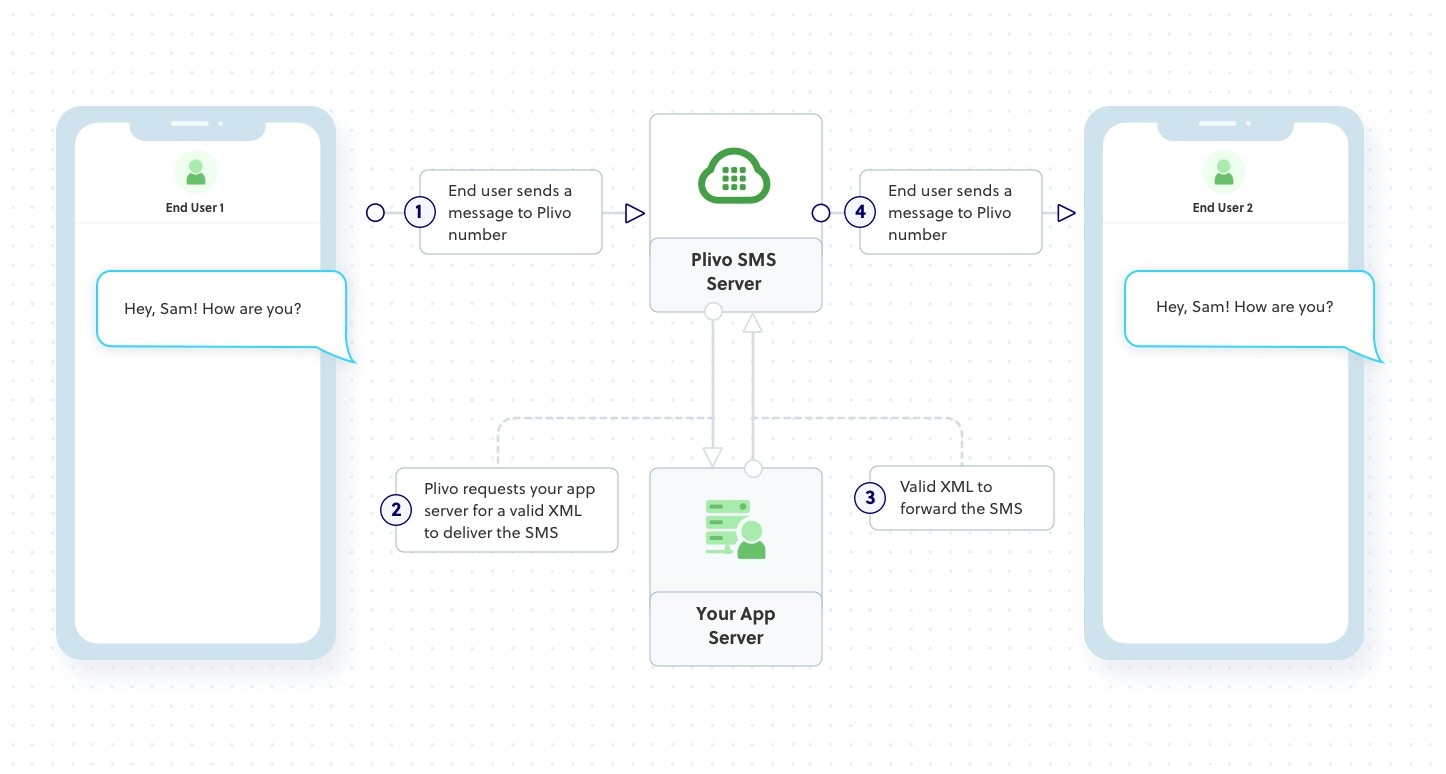
How it works
Prerequisites
To get started, you need a Plivo account — sign up with your work email address if you don’t have one already. To receive incoming messages, you must have a Plivo phone number that supports SMS; you can rent numbers from the Numbers page of the Plivo console or by using the Numbers API. If this is your first time using Plivo APIs, follow our instructions to set up a Java development environment and a web server and safely expose that server to the internet.Create a Spring application to forward messages
Use Spring Initializr to create a boilerplate project calledPlivo SMS. Open the file PlivoSmsApplication and paste into it this code.Create a Plivo application to forward messages
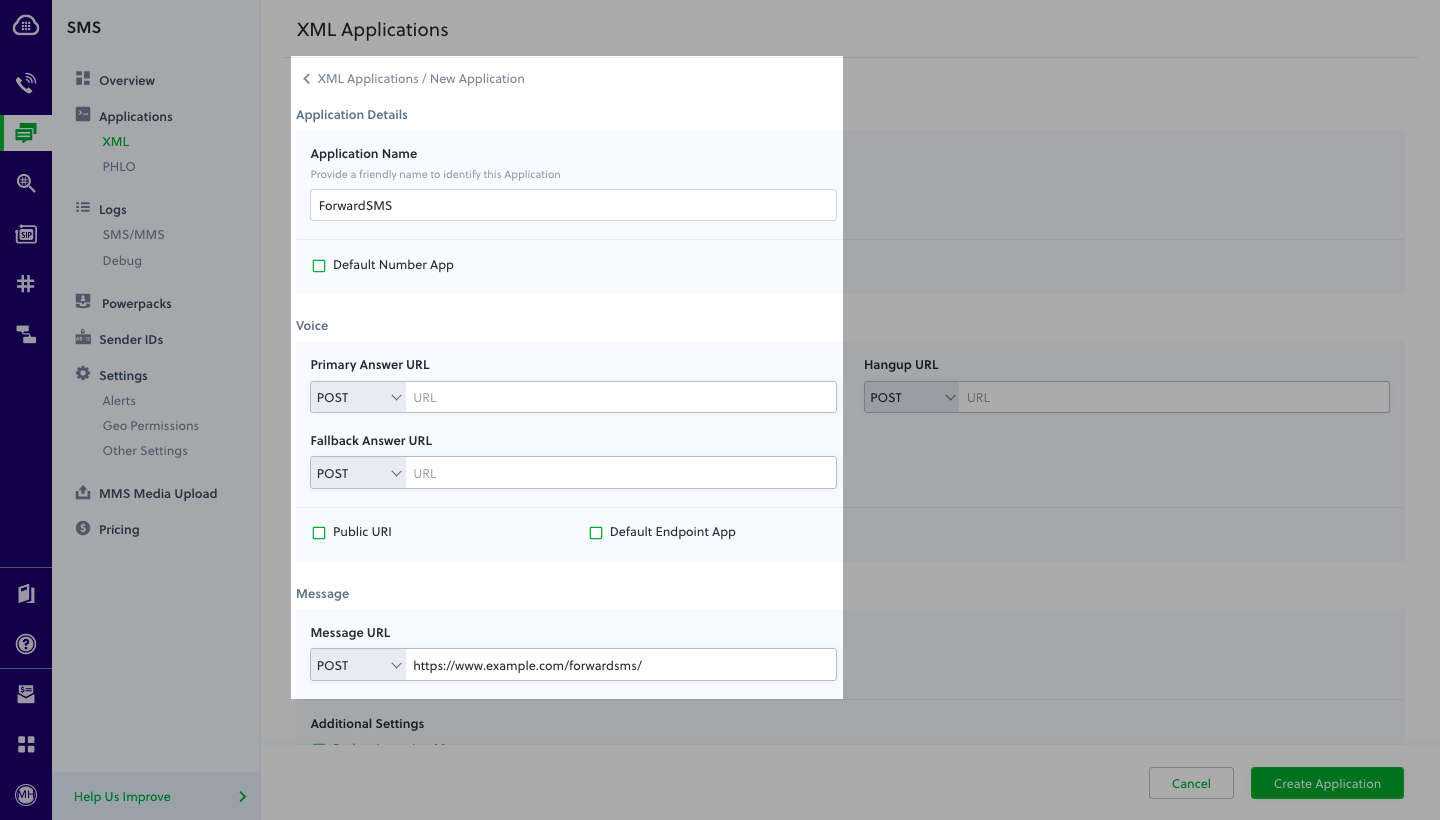
Associate the Spring application you created with Plivo by creating a Plivo application. Visiting Messaging > Applications and click Add New Application. You can also use Plivo’s Application API.Give your application a name — we called oursForward SMS. Enter the server URL you want to use (for example https://<yourdomain>.com/forwardsms/) in the Message URL field and set the method to POST. Click Create Application to save your application.Assign a Plivo number to your application
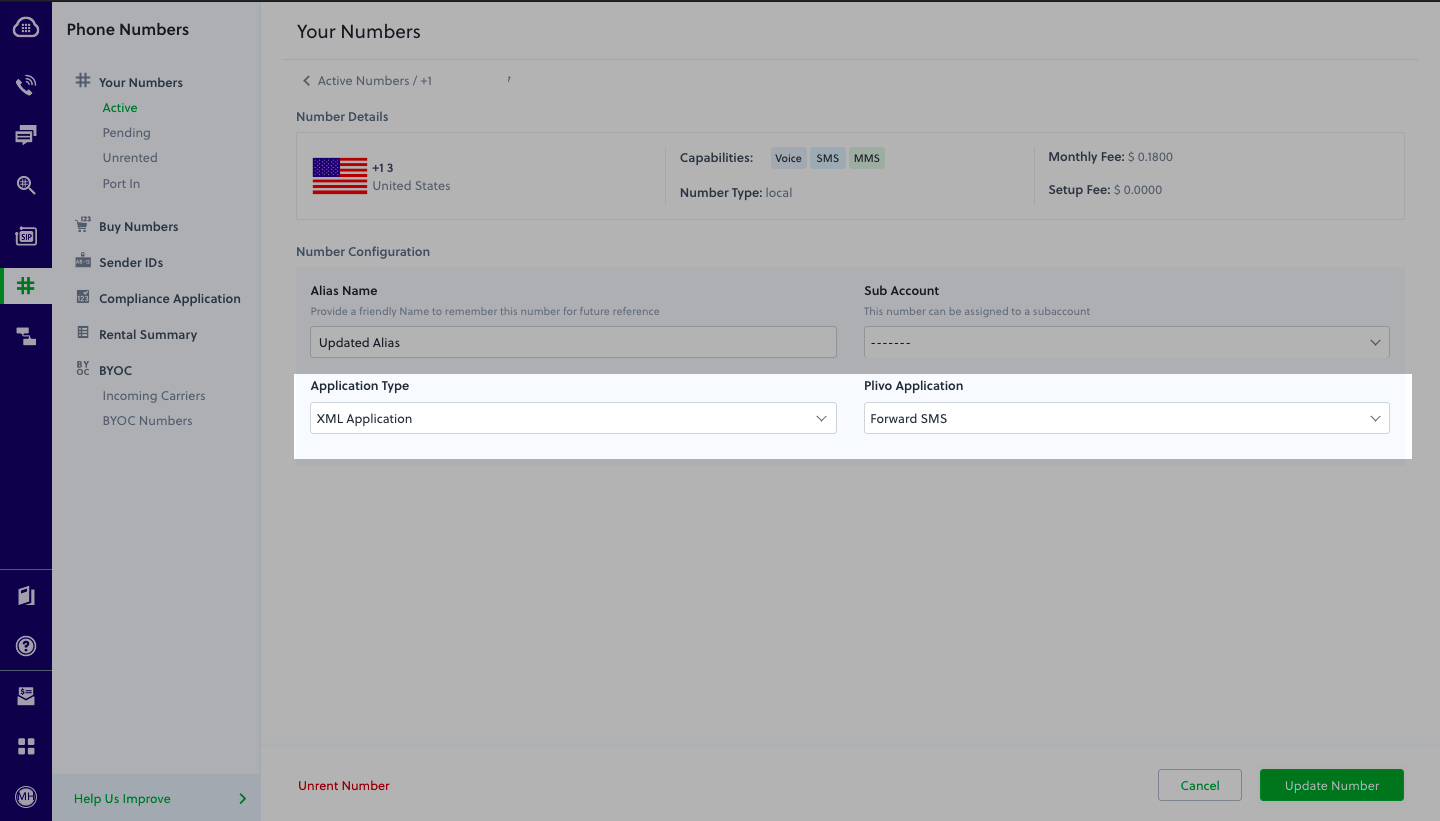
Navigate to the Numbers page and select the phone number you want to use for this application.From the Application Type drop-down, selectXML Application.From the Plivo Application drop-down, select Forward SMS (the name we gave the application).Click Update Number to save.