

-
Go to Actions > Library and select Add Integration.
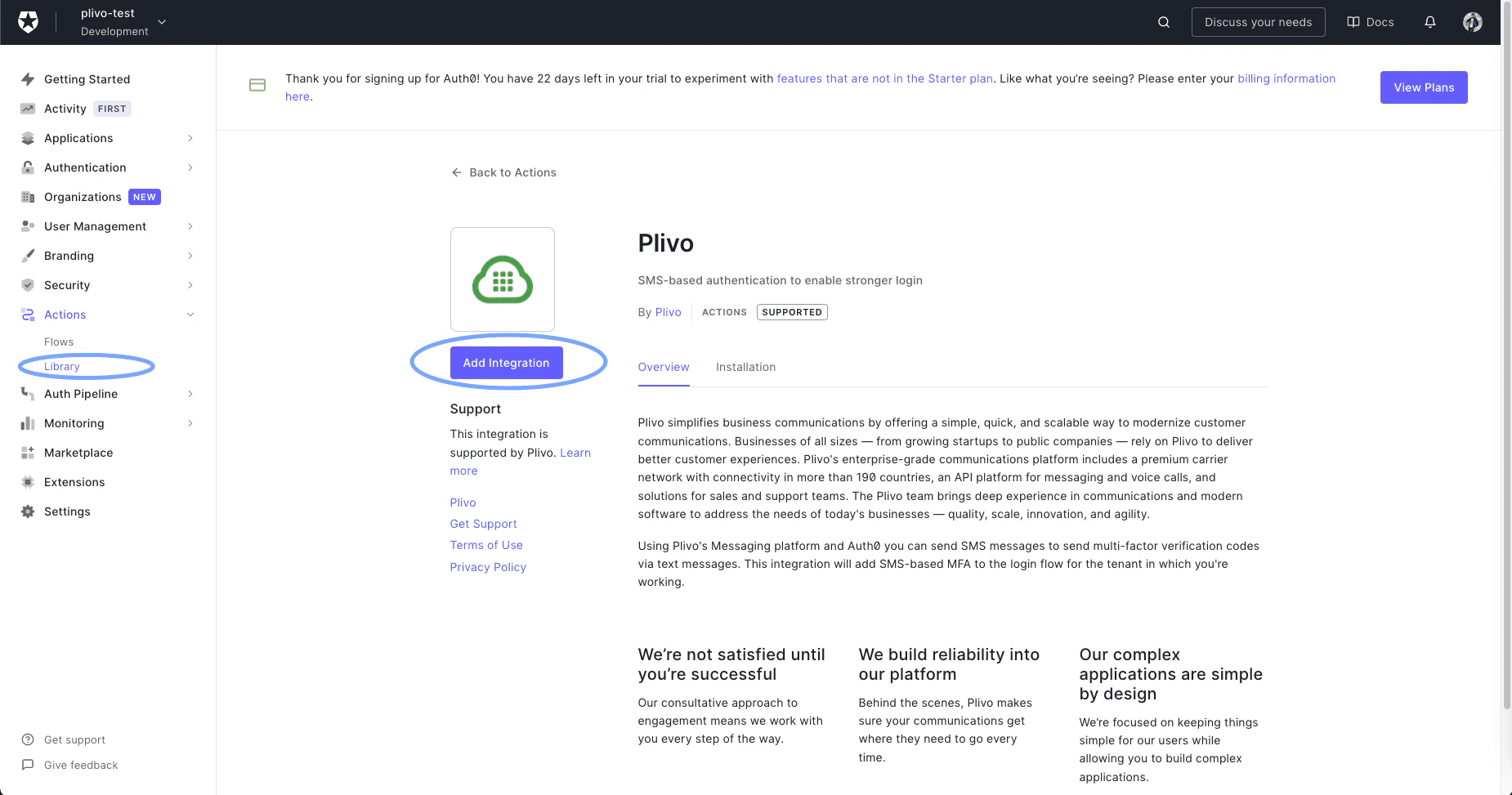
Actions-Library
-
Read the necessary access requirements and click Continue.
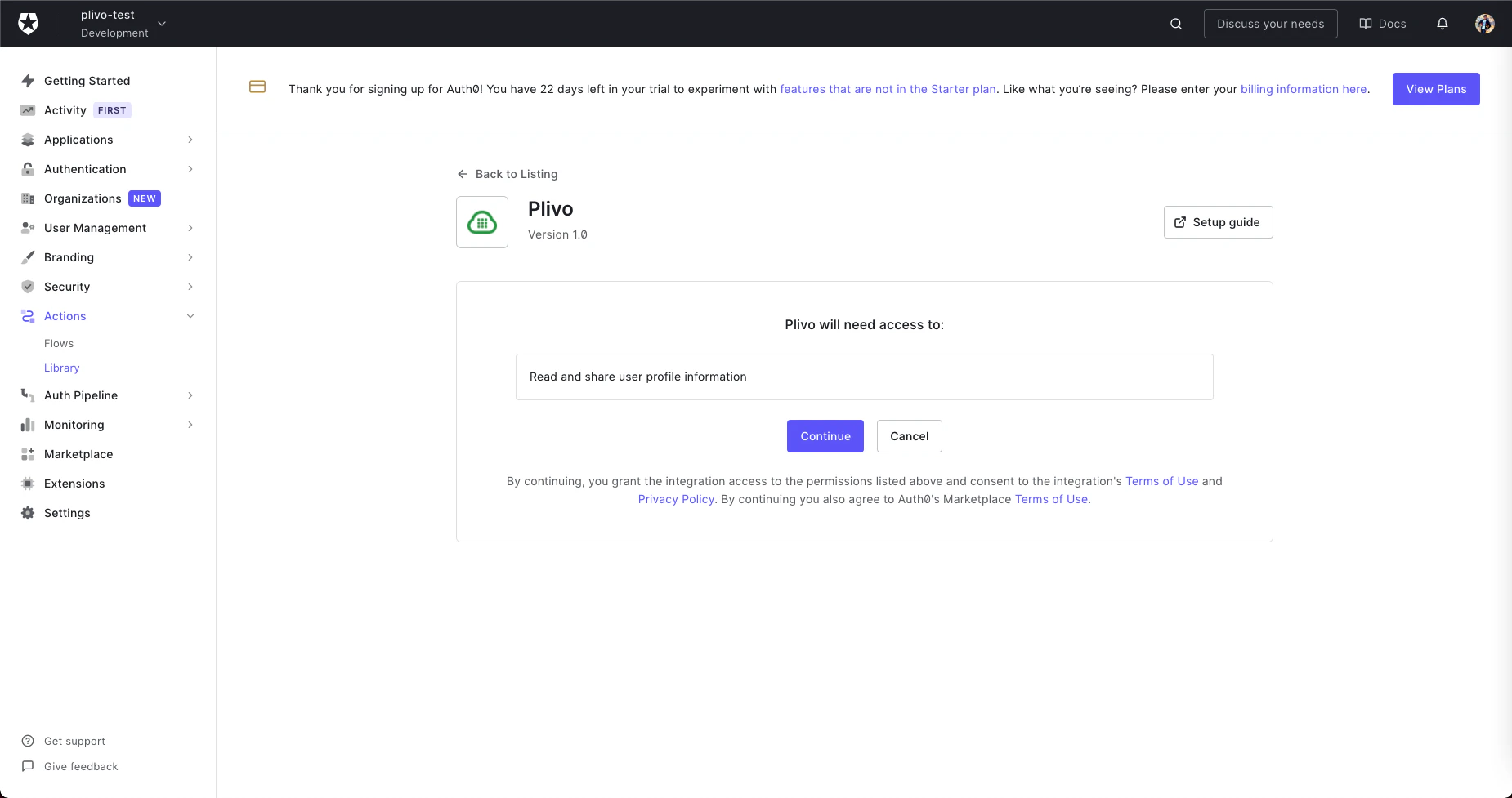
Requirements
-
Configure the integration by filling in the fields on the next screen with your Plivo Auth ID and Auth Token and your Plivo phone number.
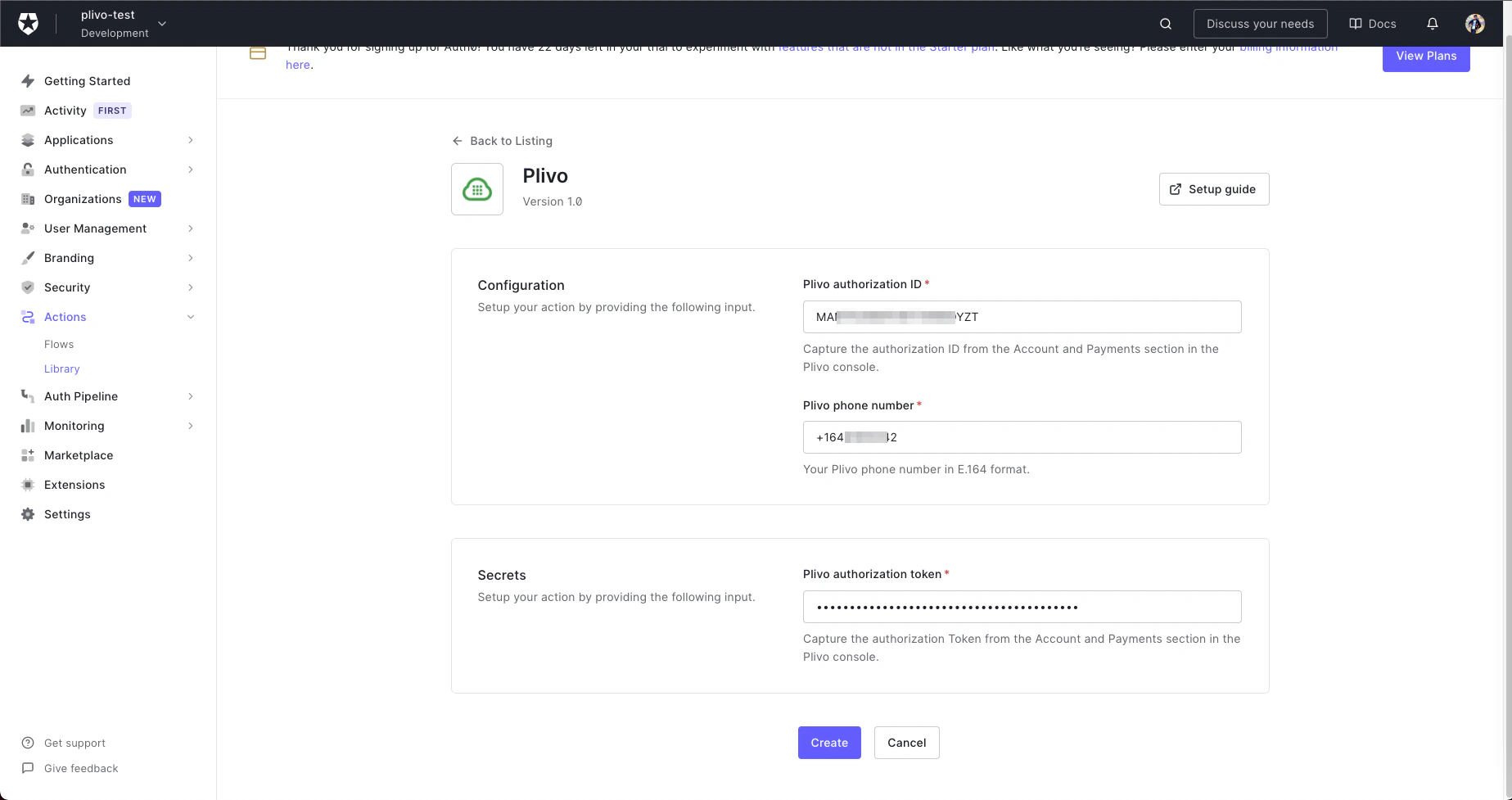
Configuration
- Click Create to add the integration to your library.
-
Click the Add to flow link on the pop-up that appears.
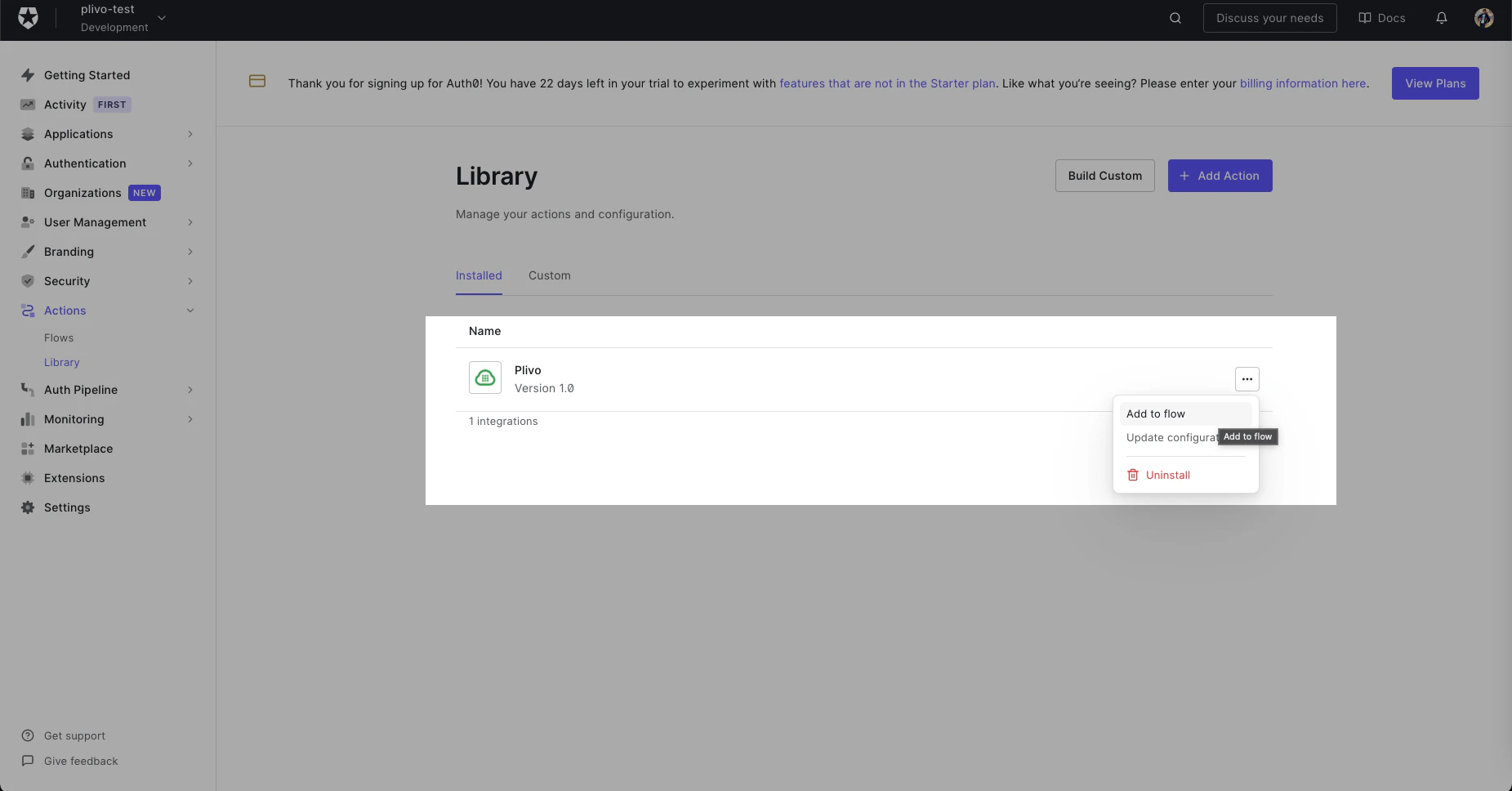
Add-Flow
-
Drag the Action into the flow.
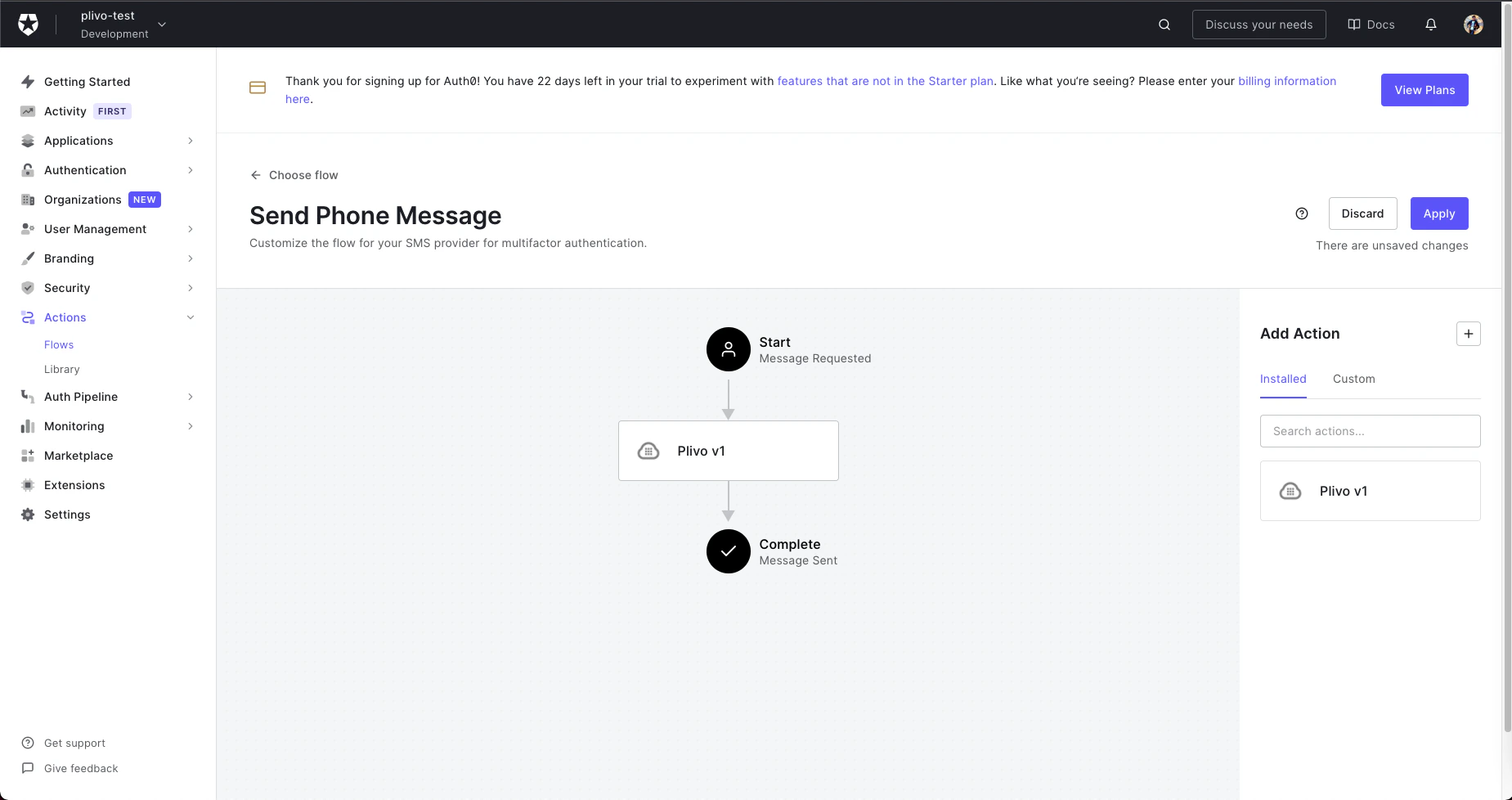
Send-SMS
- Click Apply Changes. Now this flow will use the Plivo integration to send an SMS message whenever it’s called.
Auth0
Add the Action
Add a Plivo SMS Action to your Auth0 authentication flow
To integrate Auth0, first sign up for an account. Add an Action (a triggerable function), then integrate it with your authentication flow.