Documentation Index
Fetch the complete documentation index at: https://plivo.com/docs/llms.txt
Use this file to discover all available pages before exploring further.
Queues in Plivo act as smart distribution engines that route conversations and tasks to the most suitable human agents. When your AI Agent encounters a scenario where human assistance is needed—whether during a voice call, a WhatsApp chat, or a task escalation—a Queue determines how, where, and to whom that conversation is routed.
Queues help you operationalize your support, sales, or service workflows by grouping agents and configuring rules for capacity, prioritization, and channel behavior. Each Queue supports multiple communication channels and is fully customizable to match your team’s needs.
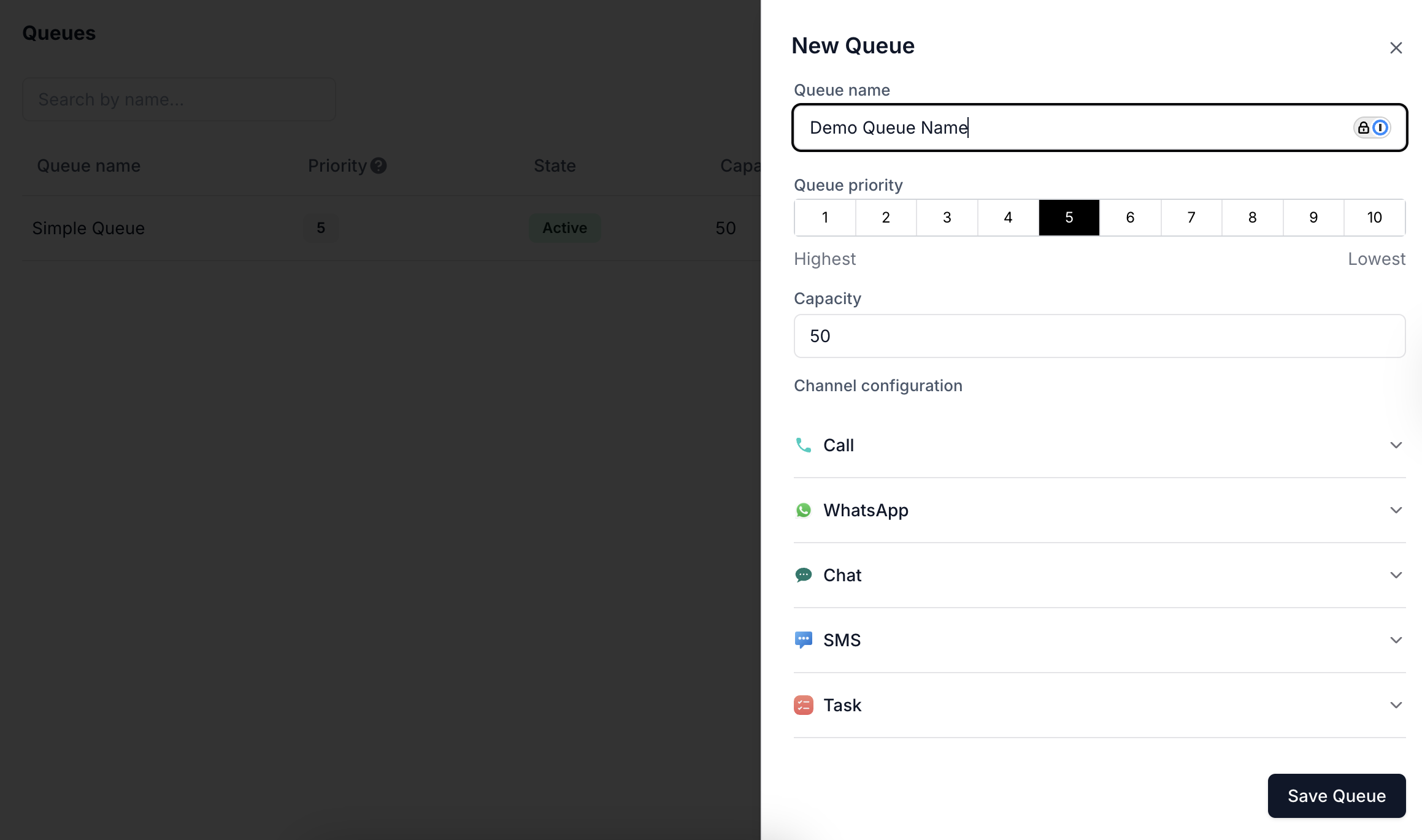
Creating a Queue
- Queue Name: A unique identifier for the queue. Use descriptive names to indicate the purpose or department (e.g., “Sales Tier 1” or “Technical Escalations”).
- Queue Priority: Controls the order in which queues are evaluated during routing. Lower numbers (1 being highest) take precedence over higher numbers (10 being lowest).
- Capacity: Maximum number of concurrent conversations or tasks the queue can hold. Helps prevent agent overload.
- Channel Configuration: Each queue supports per-channel behavior. You can customize what the customer hears, sees, or receives while waiting for an agent on Voice, WhatsApp, Chat, SMS, or Task-based interactions.
Using Queues in Agent Flows
In the Flow Builder, when you insert an Assign to Human node, you can select a Queue as the destination. This lets you:
- Seamlessly transition from AI to human agents.
- Route based on intent, customer type, or escalation rules.
- Respect queue priority and availability constraints.
Channel-Level Settings
Each communication channel under a Queue has its own configuration options that define the customer experience during agent assignment.
🔊 Call
| Field | Description |
|---|
| Assignment Timeout | Time (in seconds) to try connecting the call to an agent. |
| IVR Input (Optional) | Collect DTMF inputs from users while they wait. |
| Waiting Prompts | One or more voice prompts played to callers. You can loop prompts until timeout. |
| Agent Hold Music | Background music played while trying to connect to an agent. |
| Custom Hold Music | Alternate or additional music file to personalize the caller experience. |
WhatsApp
| Field | Description |
|---|
| Assignment Timeout | Max wait time before fallback. |
| Pre-Agent Assignment Message | Message shown immediately to the user: |
| “Please hold as we find an agent to help you. Thanks for your patience.” | |
| Post-Agent Assignment Message | Confirms agent has joined: |
| “<whatsapp.agent.name> has joined the conversation” | |
| Conversation Closed Message | Message when conversation ends: |
| “conversation is closed” | |
Chat
| Field | Description |
|---|
| Assignment Timeout | Wait time before retry or escalation. |
| Pre-Agent Assignment Message | Default: |
| “Please hold as we find an agent to help you. Thanks for your patience.” | |
| Post-Agent Assignment Message | Default: |
| “<chat.agent.name> has joined the conversation” | |
| Conversation Closed Message | Default: |
| “conversation is closed” | |
SMS
| Field | Description |
|---|
| Assignment Timeout | Max wait duration for SMS-based handoff. |
| Pre-Agent Assignment Message | Default: |
| “Please hold as we find an agent to help you. Thanks for your patience.” | |
| Post-Agent Assignment Message | Default: |
| “<message.agent.name> has joined the conversation” | |
| Conversation Closed Message | Default: |
| “conversation is closed” | |
Task
| Field | Description |
|---|
| Assignment Timeout | Timeout for task routing (used in non-realtime flows like tickets, callbacks, or follow-ups). |
- Create: Set name, priority, capacity, and channel settings.
- Edit: Adjust configurations as workflows evolve.
- Disable: Pause routing temporarily without deleting the queue.
- Duplicate: Clone an existing queue for quick setup of similar workflows.
- Delete: Remove queues no longer in use.
Agents can be assigned to one or more queues, and advanced routing strategies (based on skills, status, or business hours) can be layered on top.