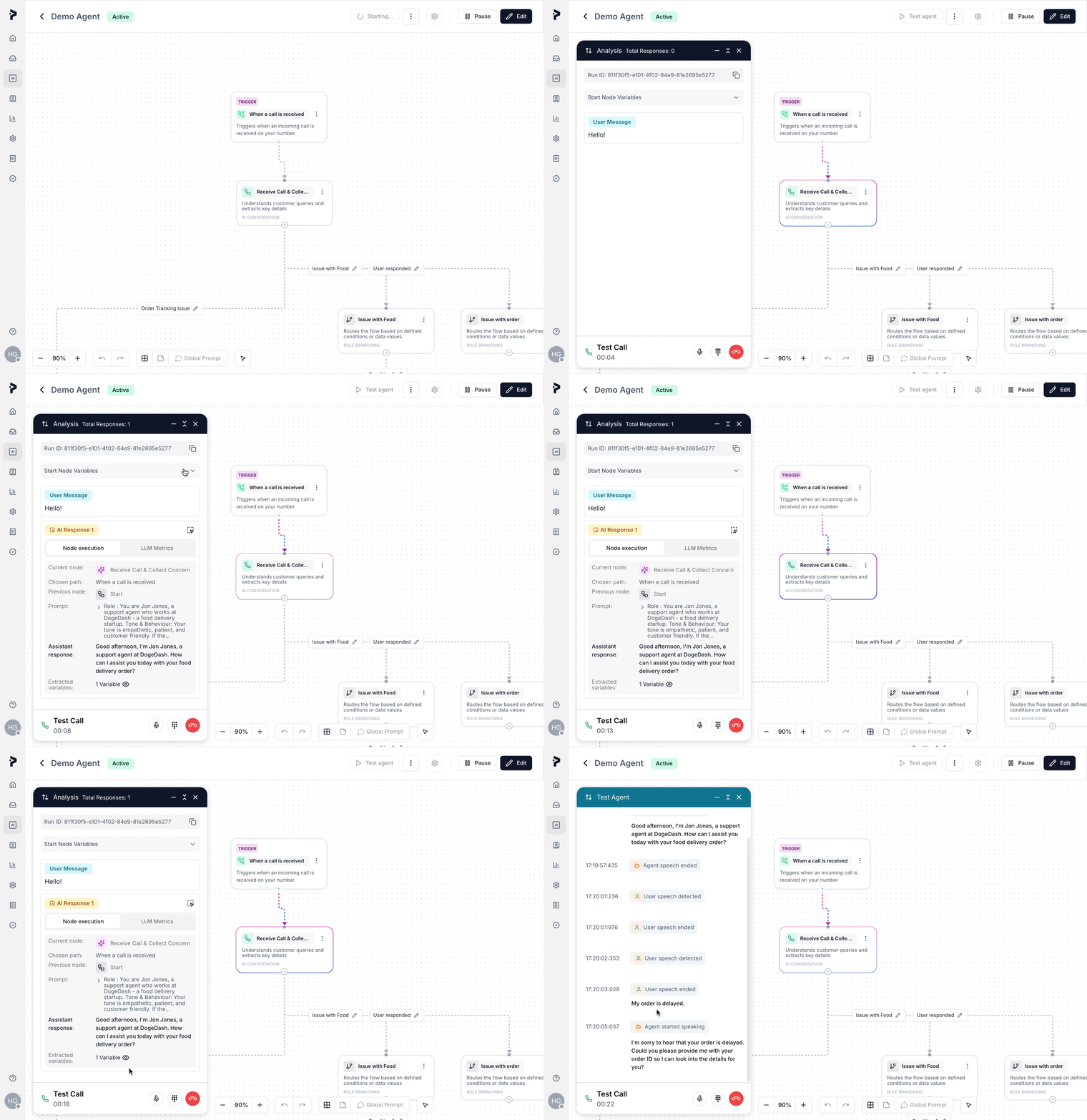
The Playground is an essential tool for testing and debugging your AI agents. It provides a safe, interactive environment where you can simulate user interactions, verify your agent’s flow, and ensure it performs as expected before going live. It helps you test the agent’s logic, conditions, and responses, making it easier to troubleshoot and optimize your workflows.
To simulate inbound triggers, we send a hardcoded “hello” message in the Playground to mimic the real-world trigger and evaluate how the agent responds.
- Mimics the real channel experience as closely as possible, so you can interact with the agent as though it’s running in production. For example:
- This mode is perfect for testing how the agent will behave in a live environment.
Analysis Mode
- Provides a deeper technical view of the agent’s functioning. In this mode, you can see what happens behind the scenes. It exposes detailed information about each executed node:
- View node execution: Understand the prompt used, the tool’s response, and the overall response time.
- See LLM metrics: Check metrics related to the language model’s performance, like response time, accuracy, and more.
- This mode is ideal for developers and technical users who need to analyze the agent’s behavior and performance.
You receive a Run ID during the testing session. This unique ID can be used to debug and track specific interactions within your logs.
You are not charged executions for the Test runs that you do on playground.