The platform allows you to acquire new phone numbers for various communication channels like SMS, Voice, and WhatsApp, directly from the Plivo platform.

How to Buy a Number

  1. Phone Numbers Settings: Navigate to the Settings and select the Phone Numbers tab.
  2. Click “Buy New Number”: In this section, you can browse through available phone numbers for different countries.
  3. Choose the Country and Type of Number: Based on your location and needs, you can filter numbers by country, and select from types like local, toll-free, or SMS/Call-enabled numbers.
  4. Select Your Desired Number: Browse the available options and pick the number that suits your needs. Once selected, proceed to the next step.
  5. Once you’ve selected a number, you can set an alias name for easy identification.
If you no longer need a number, you can delete it. Once deleted, the number is immediately unrented and will no longer be available for use.

Compliance for Buying Numbers in India
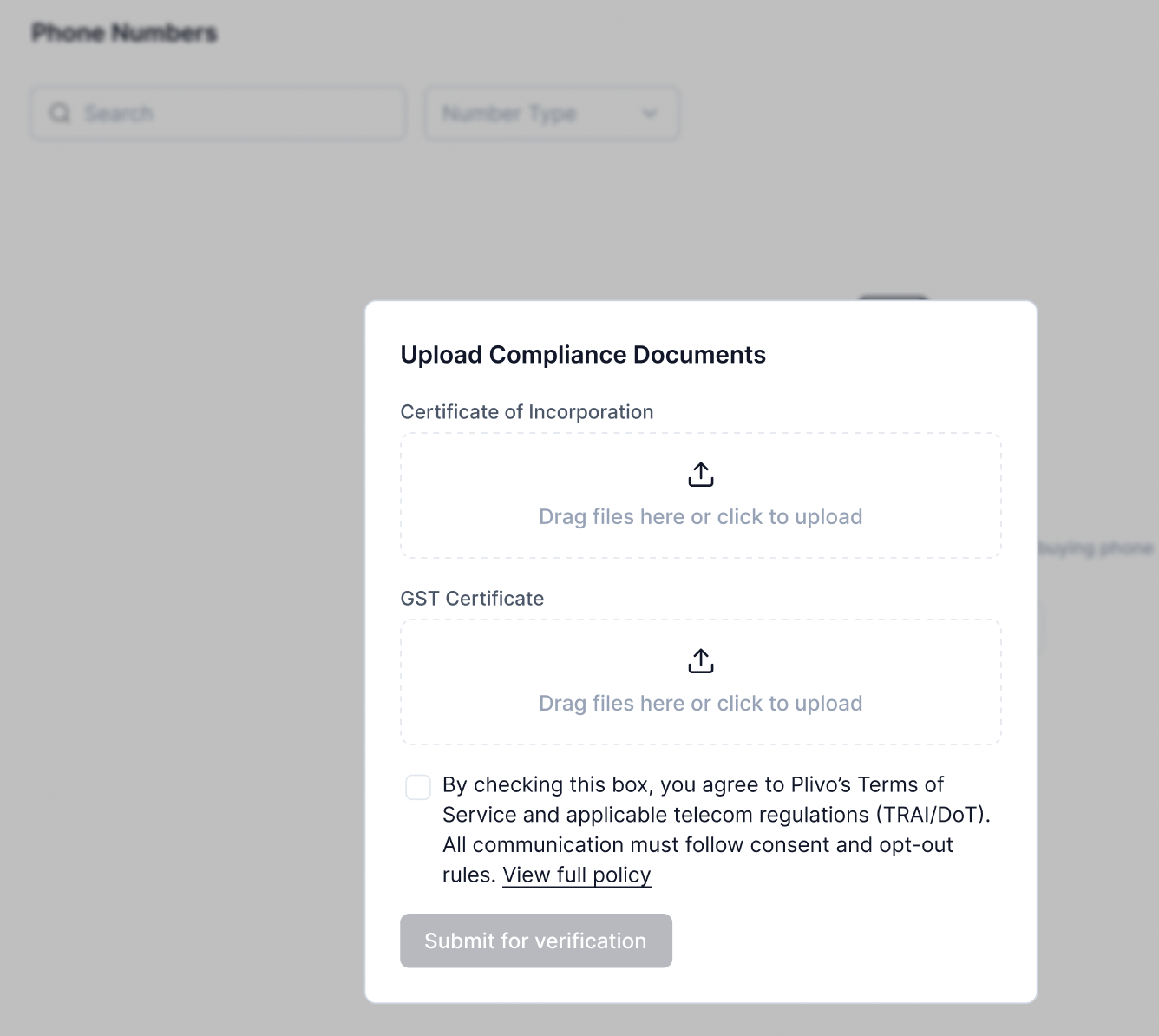
To purchase a phone number in India, you must first complete the compliance process by submitting two documents: a business registration certificate (Certificate of Incorporation or Udyam Registration Certificate) and a tax registration document (Business PAN or GST Certificate). Once your documents are successfully verified, you will be able to buy and configure phone numbers for use with your workflows.