> ## Documentation Index
> Fetch the complete documentation index at: https://plivo.com/docs/llms.txt
> Use this file to discover all available pages before exploring further.
# OpenWeatherMap node
> Fetch weather data in n8n to include in Plivo SMS messages
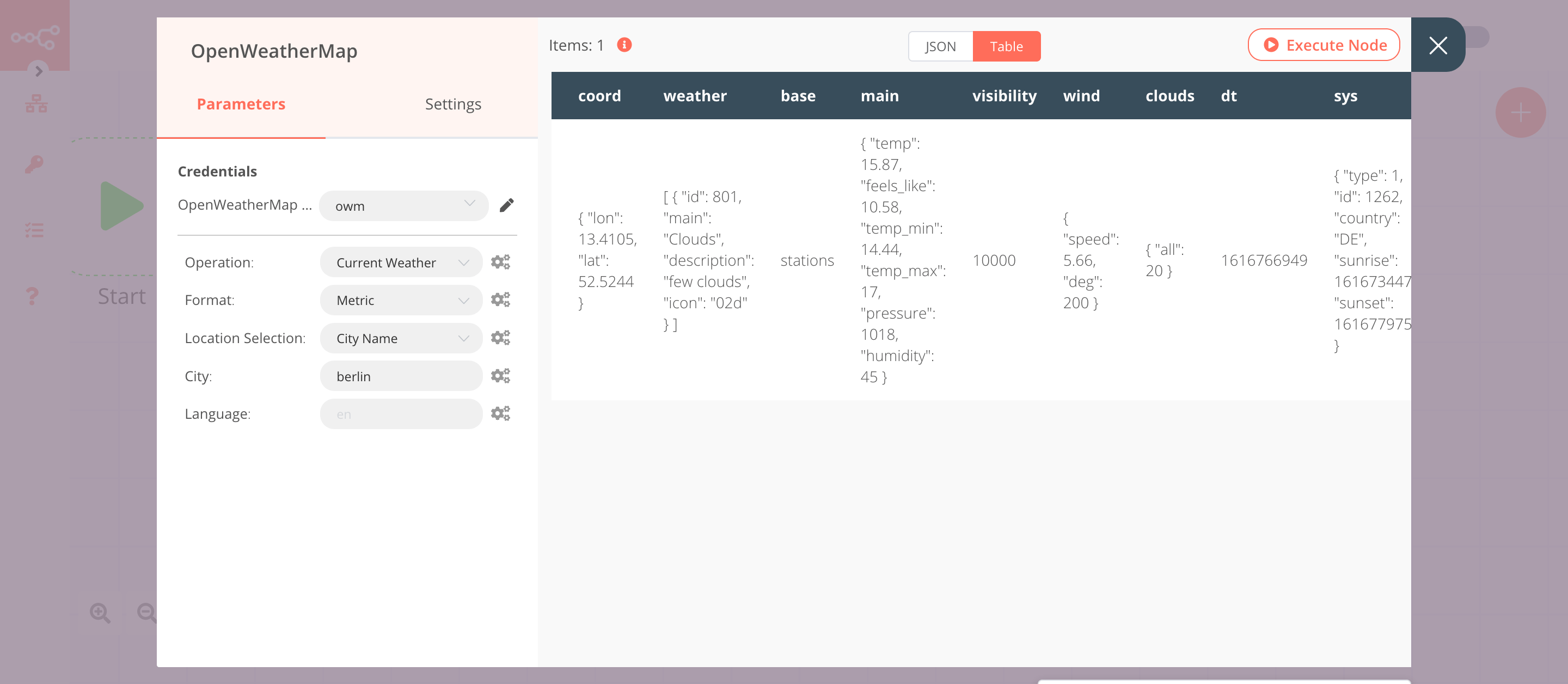
The OpenWeatherMap node will return data about the current weather.
1. Enter [credentials for the OpenWeatherMap node](https://docs.n8n.io/credentials/openWeatherMap/).
2. Enter the name of a city in the **City** field. We used berlin.
3. Click on **Execute Node** to run the node.
In this screenshot, you can see that the node returns data about the current weather in Berlin.